
 Book Free Demo

Microsoft 365 Migration Tool Comparison
Apps4.Pro vs Quest On Demand Migration:
Microsoft 365 Migration Tool Comparison
Migrate more of Microsoft 365 with one platform, licensed per installation instead of per user.
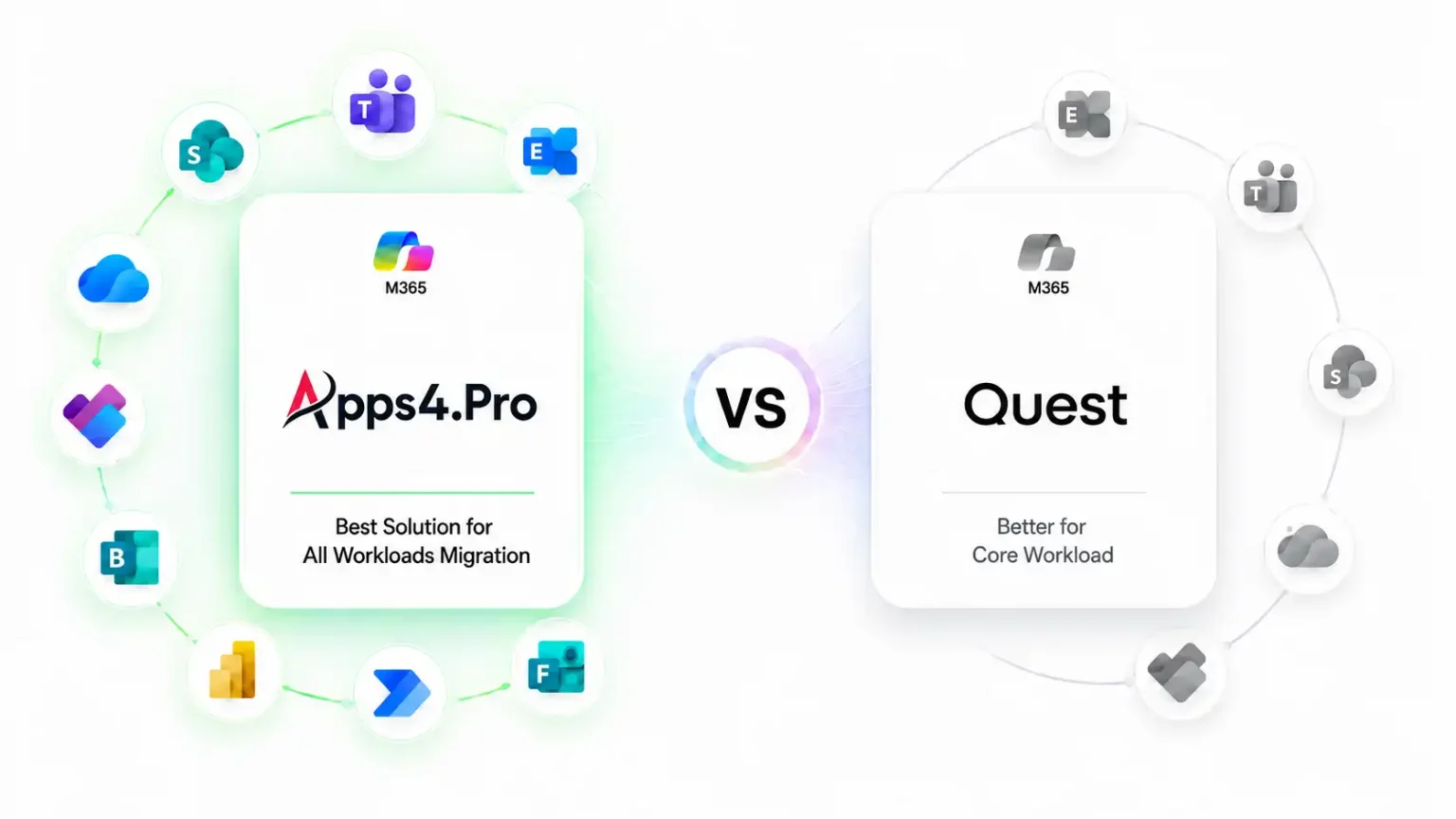
Apps4.Pro and Quest On Demand Migration both move Exchange, SharePoint, OneDrive, Teams, and Power BI between Microsoft 365 tenants. They differ in three areas: how deeply each migrates those workloads, which additional workloads each covers, and how each is licensed. This page compares all three against current vendor documentation.
Migration Capabilities

Teams chats migrated as live messages from any start date
Power BI personal and shared workspaces
Large OneDrive migrated as a single scope
Workload Coverage
10+ Additional M365 Workloads
Exchange, SharePoint, OneDrive & Teams
Planner Basic and Premium
Viva Engage communities
Microsoft Forms and Microsoft Bookings
Licensing & Pricing
Licensed per installation, not per user
Published list pricing from $5,995
Core workloads unlimited on every tier
Four workloads have tier-based volume limits

Verified against Quest On Demand Migration documentation and Apps4.Pro product documentation on [Sep 2026]. Both products change often; confirm current capabilities with each vendor before purchase.

Apps4.Pro Migration Manager and Quest On Demand Migration are both Microsoft 365 tenant-to-tenant migration tools. Quest On Demand Migration, from Quest Software, is a SaaS service that combines Microsoft 365 content migration with Active Directory and Entra ID migration, directory coexistence, and Windows device reconfiguration, and is licensed per migrated user. Apps4.Pro Migration Manager, from JiJi Technologies Private Limited, is licensed per installation and migrates a wider range of Microsoft 365 collaboration workloads, including Viva Engage, Microsoft Forms, Microsoft Bookings, and Planner Premium, but does not migrate identity.

TRUSTED BY 20,000+
ORGANIZATIONS WORLDWIDE

From Startups to Global Enterprises










Core Microsoft 365 Migration Capabilities:
Apps4.Pro vs Quest
Apps4.Pro and Quest On Demand Migration both migrate Exchange, SharePoint, OneDrive, Teams, Planner, and
Power BI between Microsoft 365 tenants, with the same documented scope for Exchange and SharePoint.
They differ in four areas: Teams private chat, very large OneDrive accounts, Planner Premium, and Power BI personal workspaces.
|
Workload
|
Apps4.Pro Migration Manager
|
Quest On Demand Migration
|
|---|---|---|

Exchange Online
|
Apps4.Pro Migration Manager

Supported: user, shared, archive, and group mailboxes; mail, calendars, contacts, tasks, permissions, rules; public folders.
|
Quest On Demand Migration
Supported: same documented scope
|

SharePoint Online
|
Apps4.Pro Migration Manager
Supported: sites, subsites, lists, libraries, files, versions, metadata, permissions, pages, term groups, web parts
|
Quest On Demand Migration
Supported: same documented scope
|

OneDrive for Business
|
Apps4.Pro Migration Manager
Supported: files, folders, versions, metadata, and user and group permissions. Migrates a very large OneDrive as a single scope, without splitting the data.
|
Quest On Demand Migration
Supported: same content scope. Recommends dividing OneDrives of 500 GB or more, or with hundreds of thousands of files, into two or more jobs to improve throughput.Quest OneDrive documentation
|

Teams channels
|
Apps4.Pro Migration Manager
Supported: Teams, standard, private, and shared channels; channel conversations; files; associated sites; members and owners; and Teams for Education migration.
|
Quest On Demand Migration
Supported: same documented scope. Teams for Education is partially supported. Quest Teams documentation
|

Teams private chat
|
Apps4.Pro Migration Manager
1:1, group, and meeting chats migrated as live Microsoft Teams messages, from any start date you choose.
|
Quest On Demand Migration
All messages or the last 15, 30, or 60 days migrated to live chat; older messages can be archived to an HTML file linked from the chat. Quest recommends migrating only 15 to 30 days live, because archiving is faster. Quest chat documentation
|

Planner
|
Apps4.Pro Migration Manager
Planner Basic and Planner Premium plans
|
Quest On Demand Migration
Planner Basic, migrated as part of a Teams or Microsoft 365 Group migration. Planner Premium is currently not supported, with no release date. Quest Planner Premium article
|

Power BI
|
Apps4.Pro Migration Manager
Shared and personal workspaces, including reports, semantic models, gateways, connections, dashboards, tiles, workspace and report settings, role-based permissions, and scheduled refresh configurations
|
Quest On Demand Migration
Shared workspaces only, including reports, semantic models, gateways, connections, and workspace permissions. Quest Power BI documentation
|
Microsoft 365 Workload Coverage Map:
Apps4.Pro vs Quest On Demand Migration
The table below shows what each tool migrates, workload by workload. Apps4.Pro covers more
Microsoft 365 collaboration workloads. Quest covers identity, coexistence, devices, and Power Apps.
Core Microsoft 365 workloads
|
Workload
|

|
Quest On Demand Migration
|
|---|---|---|
|
Exchange Online
|
Supported
|
Quest On Demand Migration
Supported
|
|
SharePoint Online
|
Supported
|
Quest On Demand Migration
Supported
|

OneDrive for Business
|
Supported
|
Quest On Demand Migration
Supported
|
|
Teams channels
|
Supported
|
Quest On Demand Migration
Supported
|
Advanced collaboration and Power Platform
|
Workload
|
|
Quest On Demand Migration
|
|---|---|---|
|
Teams private chat
|
Supported: live messages, any date range
|
Quest On Demand Migration
Supported: live chat for all messages or the last 15, 30, or 60 days, with optional HTML archive
|

Teams for Education
|
Supported
|
Quest On Demand Migration

Partially supported
|

Planner Basic
|
Supported
|
Quest On Demand Migration
Supported, within team or group migration
|

Planner Premium
|
Supported
|
Quest On Demand Migration

Not supported
|
|
Power BI
|
Supported: shared and personal workspaces (volume limited by tier)
|
Quest On Demand Migration
Supported: shared workspaces only
|

Power Automate
|
Supported (volume limited by tier)
|
Quest On Demand Migration
Supported (released August 2026)
|

Power Apps
|
Not offered
|
Quest On Demand Migration
Supported (released August 2026)
|

Viva Engage
|
Supported (volume limited by tier)
|
Quest On Demand Migration
Not offered
|

Microsoft Forms
|
Supported, with responses (volume limited by tier)
|
Quest On Demand Migration
Not offered
|

Microsoft Bookings
|
Supported
|
Quest On Demand Migration
Not offered
|
Identity, coexistence, and devices
|
Workload
|
|
Quest On Demand Migration
|
|---|---|---|

Entra ID account migration
|
Not offered
|
Quest On Demand Migration
Supported
|

On-premises Active Directory migration
|
Not offered
|
Quest On Demand Migration
Supported
|

Directory and password synchronization
|
Not offered
|
Quest On Demand Migration
Supported
|

Windows device reconfiguration
|
Not offered
|
Quest On Demand Migration
Supported
|

Google Workspace as a source
|
Not currently supported
|
Quest On Demand Migration
Supported
|
Caption: Quest entries are sourced from the Quest On Demand Migration user guide, Quest support knowledge base articles, and Quest’s Power Platform announcement of 3 August 2026, retrieved [Sep 2026]. “Not offered” means Quest’s current documentation does not list the workload. Confirm with the vendor before purchase.
Every missing workload adds another tool
When a migration platform doesn’t support part of your Microsoft 365 environment, that work doesn’t go away.
It moves to a second tool, a second vendor, or a manual rebuild, usually discovered late in the project.
With Quest On Demand Migration
The workloads most likely to need a second tool or a manual rebuild
Viva Engage communities
Microsoft Forms and their response history
Microsoft Booking
Planner Premium plan
Power BI personal workspaces
With Apps4.Pro
Identity and Active Directory migration
Directory coexistence
Windows device reconfiguration
Power Apps
Map your workload inventory against the coverage table above before choosing a tool. Whichever tool leaves fewer workloads out of scope will usually need less extra licensing, coordination, and manual validation.
Missing Coverage
Unsupported workloads
Multiple migration products
Different vendors
Separate workflows
Multiple reports
Project Impact
Additional migration tools
More software licenses
More coordination and support
More manual validation
Longer troubleshooting
With Apps4.Pro
One Platform
Core Microsoft 365 Workloads
Advanced Microsoft 365 Workloads
One Migration Console
One Reporting Dashboard
One Support Team
With Multiple Tools
Core Workloads
Tool A + Tool B + Tool C
Multiple Licenses
Multiple Vendors
Multiple Reports
More Manual Work
Apps4.Pro vs Quest On Demand Migration
Pricing and Licensing
Apps4.Pro is licensed per installation at published list prices. Quest On Demand Migration is licensed per
migrated user under quote-based T3, T5, and T7 subscriptions. With Apps4.Pro, the cost depends on
how many machines you run and how much of the four capped workloads you migrate. With Quest, the cost depends
on how many users you migrate.
|
Licensing factor
|
Apps4.pro Migration Manager
|
Quest On Demand Migration
|
|---|---|---|

Pricing model
|
Apps4.pro Migration Manager
Published list pricing: Essentials $5,995 (1 machine), Growth $8,995 (5 machines), Enterprise $17,995 (20+ machines)
|
Quest On Demand Migration
Quote-based subscriptions (T3, T5, T7) through Quest Sales
|

Charged by
|
Apps4.pro Migration Manager
Per installation or machine
|
Quest On Demand Migration
Per migrated user account
|

Does cost grow with user count?
|
Apps4.pro Migration Manager
No. One license covers any number of users.
|
Quest On Demand Migration
Yes. Each migrated user consumes a license; guest accounts are excluded.
|
|
Content volume limits
|
Apps4.pro Migration Manager
Mailbox, OneDrive, SharePoint, Teams channels, Teams chats, and Planner are unlimited. Viva Engage, Forms, Power Automate, and Power BI have tier-based limits (below).
|
Quest On Demand Migration
No data limits for OneDrive, SharePoint, mailbox, and public folder content
|

Identity and Active Directory
|
Apps4.pro Migration Manager
Not offered
|
Quest On Demand Migration
Active Directory migration is included in T5 and T7 subscriptions or available as a standalone subscription
|

Teams chat
|
Apps4.pro Migration Manager
Included on every tier
|
Quest On Demand Migration
Included in T3 and T5 subscriptions; an optional Teams Chat add-on increases archiving speed
|

License term
|
Apps4.pro Migration Manager
Annual, valid one year from activation, renewable
|
Quest On Demand Migration
Subscription term set in the Quest quote
|

Free trial
|
Apps4.pro Migration Manager
15-day trial with per-workload quotas, no data-volume limitations, and no credit card required
|
Quest On Demand Migration
Trial with per-workload quotas (for example, chat is limited to 5 accounts); no trial for Active Directory modules
|
Apps4.Pro volume limits by tier
|
Workload
|
Essentials
|
Growth
|
Enterprise
|
|---|---|---|---|
|
Viva Engage communities
|
Essentials
10
|
Growth
20
|
Enterprise
50
|
|
Microsoft Forms
|
Essentials
300
|
Growth
500
|
Enterprise
2,000
|
|
Power Automate flows
|
Essentials
50
|
Growth
100
|
Enterprise
200
|
|
Power BI workspaces
|
Essentials
10
|
Growth
25
|
Enterprise
100
|
Additional capacity for these four workloads is available as an add-on
What this means in practice: For a 3,000-user tenant-to-tenant migration of mail, OneDrive, SharePoint, and Teams, a single Apps4.Pro license covers all 3,000 users, while Quest consumes 3,000 user licenses. For a 150-user migration that also needs Active Directory and device reconfiguration, Quest’s per-user model may cost less and covers identity, which Apps4.Pro does not.
Apps4.Pro or Quest On Demand Migration:
Which Is the Right Fit?
Both are established Microsoft 365 tenant-to-tenant migration tools. The choice is usually decided by
scope rather than quality: whether identity migration is part of the project, and which
workloads beyond the core four have to move.
Choose Apps4.Pro if you want…
● Your scope includes Viva Engage, Microsoft Forms, Microsoft Bookings, or Planner Premium.
● Teams chat history has to arrive as live Teams messages from a date you choose, not split between live chat and an HTML archive.
● You need Power BI personal workspaces migrated.
● You’re migrating a large number of users and want licensing that doesn’t grow with headcount.
● You want published pricing, item-level migration reports, and guided migration support.
Choose Quest if you need…
● Entra ID or on-premises Active Directory migration is part of the project.
● You need directory synchronization and coexistence during a phased merger.
● Windows devices have to be reconfigured to the new tenant without reimaging.
● Power Apps are in scope.
● You prefer a SaaS service with nothing to install.
● Your user count is small enough that per-user licensing is cost-effective.
Both Apps4.Pro and Quest On Demand are trusted Microsoft 365 migration solutions.
The best choice depends on your migration scope, source environment, and project requirements.
By scenario
|
Scenario
|
Usually the better fit
|
Why
|
|---|---|---|

Merger with identity migration and a coexistence period
|
Usually the better fit
Quest
|
Why
Directory sync, coexistence, and device reconfiguration are the critical path
|

Tenant consolidation where identity is already provisioned
|
Usually the better fit
Apps4.Pro
|
Why
Workload breadth matters more than identity tooling
|

Large user count, content-only migration
|
Usually the better fit
Apps4.Pro
|
Why
Per-installation licensing doesn’t grow with users
|

Viva Engage, Forms, or Bookings in scope
|
Usually the better fit
Apps4.Pro
|
Why
Quest does not document support for these workloads
|

Power Apps in scope
|
Usually the better fit
Quest
|
Why
Apps4.Pro does not migrate Power Apps
|

Hybrid Active Directory environment
|
Usually the better fit
Quest
|
Why
On-premises AD migration is included in Quest T5 and T7 subscriptions
|
Where Apps4.Pro is not the right tool :Apps4.Pro does not migrate Entra ID or on-premises Active Directory identities, synchronize directories, reconfigure Windows devices, or migrate Power Apps. Google Workspace migration is currently not supported. Viva Engage, Forms, Power Automate, and Power BI have tier-based volume limits. If any of these are on your critical path, tell us on the first call and we’ll say plainly whether Apps4.Pro fits.

Testimonials
Real Migration Results, Not Just Promises
Rated 4.8 / 5 by 1000+ IT professionals. See how organizations achieve
smooth Microsoft 365 migrations with zero data loss and minimal disruption.
→Customer success stories
Testimonials
What Our Clients Say About Us?
Real stories from IT leaders who rely on Apps4.Pro for seamless
Microsoft 365 migration.

Stephen Bala 

IT Infra & Cyber Defense Manager,UAE


4.9
Out of all the platforms we had to move, we were hesitant about migrating our Yammer communities tenant-to-tenant 😟, but Apps4.Pro really surprised us 😊
They preserved all our posts, conversations, files, and memberships while also supporting both internal and external networks.
What stood out most was their clear guidance, quick responses, and genuine support that made the whole process smooth and successful 🙌.

Denzel Dalton 
Computer Technician,
USA.


4.8
Apps4.Pro Planner Migration Manager made our Microsoft Planner migration seamless and hassle free 😌.
The tool efficiently handled complex needs, ensuring nothing was lost in the transition, and its intuitive interface and automation saved us valuable time and effort ⏳.
Bulk migration was effortless, and the reports kept us fully in control 🙌. We highly recommend Apps4.Pro for any organization for Planner migrations.

Martin Bergholdt
Information technology and services, Denmark


4.9
We recently completed our Yammer data center migration from the US to the EU 🌍, and the process went far smoother than expected 😊.
Historical conversations were fully preserved with minimal user disruption, which was a big relief 😌.
The team guided us from start to finish, kept compliance in check, and gave us confidence. I’d definitely recommend this solution to any organization making a similar transition✨.

Fabrice Langlois
Manager, IT Enterprise Architecture, Collaboration


4.8
Migrating our Yammer communities seemed complex 🧩, but Apps4.Pro made it smooth and hassle-free 🎯.
Its automation & flexibility let us pre-stage data, schedule migrations, and generate reports that kept us in control .
Despite years of data and large user base, the migration was fast, accurate, and disruption-free ⭐. Thanks to Apps4.Pro, we consolidated our Yammer networks and streamlined communications 🙌.

Mohan Venkatavarathan
Technology – Digital Transformation, Singapore

4.7
Migrating our Teams 1:1 and group chats 😅 was critical, and Apps4.Pro exceeded expectations 🚀.
The tool seamlessly and securely moved entire chat histories, attachments, and permissions while keeping conversations intact 🔒.
Easy to install and configure, it ensured minimal downtime so our teams could keep collaborating without disruption 🙌. If you’re looking for a reliable Teams chat migration tool, Apps4.Pro is the way to go! ⭐
Fabrice Langlois
Manager, IT Enterprise Architecture, Collaboration
4.7
We recently used Apps4.Pro Forms Migration to transfer our Microsoft Forms, and it worked flawlessly 😍. Setup was quick and straightforward, saving us hours of manual effort⏱️and the process was smooth.
Every form securely transferred with no data loss, and logs gave us full confidence nothing was missed.
The user interface is clean and easy to use 👌. we set up and tracked migration in just a few clicks. We’re really happy with the experience and would absolutely use it again 😀.

Venkatesh Narayanan
Head of Global IT,
Resillion

4.9
Migrating private chats in Microsoft Teams wasn’t as seamless as we expected 😓, finding the right tool proved to be a challenge.
We tested multiple solutions, but most had drawbacks, such as migrating only messages from a specific timeframe and having data limitations.
Apps4.Pro was the best decision 👍. it automated everything and kept chats intact with no data loss.
We even went beyond Teams chat to migrate Forms and Power Automate too 💯.

Benjamin Paurevic
Construction Industry,
Germany

4.8
We recently completed a Power BI workspace and report migration using Apps4.Pro, and the experience was outstanding 😃. From planning to cutover, the process was smooth, well-documented, and professionally executed.
Automation simplified migration while preserving configurations and access, saving countless hours of manual rework 📈
The team was highly responsive, guided setup and custom needs🚀. I would confidently recommend⭐ Apps4.Pro for reliable, efficient Power BI migrations.

Mike Maadarani
Cloud Solutions Architect, Ottawa, Canada

4.8
Once in contact with Apps4.pro’s sales team, we realized the Apps4.Pro can migrate not only Microsoft Planner but also Teams, OneNote and Wiki among others, and therefore decided to run the POC for all the components 😃.
After a 100% successful result, we trust Apps4.Pro for all our future migrations and have already moved 1,200+ plans 🎯 seamlessly and will keep helping MCM deliver to its clients.
The product was easy to use, and it migrated everything as expected 🙌.

Pablo Solano
Information Systems Architect – Messaging and Collaboration
4.7
Migrating a large number of users was a challenge, but Apps4.Pro Private Chat Migration made it much easier 😌.
Parallel task processing and multi-threaded execution sped up the migration, completing it on time without disruptions 🌟.
The tool handled high volumes of data effortlessly, and the team provided helpful best practices, ensuring a smooth setup and secure processing 🛡️.
Overall, it was a smooth experience, and we appreciate the outstanding support from the team 🙌.

Shoaib Akbar

Associate Director IT Global,
USA

4.9
At first, we were concerned 🤔 about how complex Yammer migration might be, but Apps4.Pro made the process stress-free and saved us valuable time. Their team handled everything from start to finish 👍.
The migration was smooth, with no data loss or business disruption 😊, and their clear communication kept us reassured throughout .
We’re extremely satisfied and would gladly recommend Apps4.Pro to anyone looking for a smooth Yammer migration.
Fabrice Langlois
Manager, IT Enterprise Architecture, Collaboration
4.7
Migrating a high volume of Power BI data felt like a challenge until we found Apps4.Pro 🤩.
The tool handled dependencies, permissions, and configurations at scale flawlessly, with helpful pre migration insights 👌
Overall, Apps4.Pro saved us an incredible amount of time compared to manual migration, and despite a few minor tweaks needed, and remains one of the best solutions 🏆 for a fast, efficient, and largely hassle-free migration, it’s a solid choice 💯.

Doug Punchak
Avvenire Solutions Inc
USA

4.8
I have to say, the Teams Migrator product has come a long way 😍 since I first started using it. The most recent migration of my client’s Teams went flawlessly!
This product is amazing and so much better 💪 when compared to the alternative Teams migration tools available that are either more expensive and do not provide the same capabilities.

Mohamad Nuzul Izwan
Group Business Technology,
PLI Petronas

4.8
Apps4.Pro Migration Manager was leveraged to merge the PLI Yammer network with the existing PETRONAS Parent network 😍.
The tool has smoothly migrated around 200 plans and 600 GB of Stream videos while minimizing user impact 👌.
As part of the migration, Apps4.Pro helped us to perform the group clean up and rename activities too. Thanks to their professional consulting service. The entire migration was smooth with least permissions reports saved us valuable time ⏱️.

FAQ
Apps4.Pro vs Quest On Demand Migration: Common Questions
Need quick help? Check our FAQs.
Still have questions? Chat with our 24/7 AI support agent.
Does Apps4.Pro migrate Active Directory or Entra ID?
What's the difference between Apps4.Pro and Quest On Demand Migration?
Do I need more than one tool to migrate all my Microsoft 365 workloads?
Not necessarily. Apps4.Pro covers 10+ Microsoft 365 collaboration and Power Platform workloads in a single platform and license, reducing the need for multiple migration tools.
Is Apps4.Pro a good alternative to Quest?
Yes. If your focus is Microsoft 365 content and collaboration migration, Apps4.Pro offers broader workload coverage, a free pre-migration report, real-time monitoring, and predictable flat pricing. Choose Quest when identity migration is a core requirement.
How is Quest On Demand Migration priced?
Does Quest On Demand Migration migrate Teams chat?
Does Apps4.Pro migrate Teams chat?
Does Quest On Demand Migration migrate Power Automate?
Yes. Quest released Power Platform migration for Power Automate flows and Power Apps in August 2026. Apps4.Pro also migrates Power Automate flows but does not migrate Power Apps.
Does Quest migrate Viva Engage, Microsoft Forms, or Microsoft Bookings?
Does Quest support Planner Premium migration?
Can Quest migrate Power BI personal workspaces?
Is Apps4.Pro a good alternative to Quest On Demand Migration?
Which tool is better for Microsoft 365 tenant-to-tenant migration?
Neither is better in every case; it depends on whether identity or workload breadth dominates your scope. Choose Quest when users, directories, and devices have to move with the content. Choose Apps4.Pro when identity is already provisioned and the content scope includes collaboration workloads Quest does not cover.
Is there a free trial for Apps4.Pro and Quest?

Chat with AI
Still Have a Question?
Our AI Smart Assistant is available 24/7 to provide instant answers to your questions. Start a chat anytime to get the assistance you need.
Validate Your Migration Scope Before You Choose
Every workload
One platform
One predictable license
Run Apps4.Pro against your own Microsoft 365 tenants with a free 15-day trial. Generate a pre-migration
inventory, see exactly which workloads are in scope, and check them against the coverage map above.
If Apps4.Pro isn’t the right fit for your project, we’ll tell you.


Disclaimer :
Quest® and Quest On Demand Migration® are trademarks of Quest Software Inc. Apps4.Pro is a product of JiJi Technologies Private Limited and is not affiliated with, endorsed by, or sponsored by Quest Software Inc. All third-party trademarks are used solely for identification and comparison purposes.
This comparison has been prepared solely to help IT professionals evaluate Microsoft 365 migration solutions. The content is based on information publicly available as of Sep 2026, including official product documentation, knowledge base articles, and vendor websites. Because software products evolve over time, capabilities, supported workloads, licensing models, pricing, and other product details may change after publication. Readers should consult the official Quest website for the latest product information.
Any references to Quest or Quest On Demand Migration are made solely for comparison purposes. Apps4.Pro does not claim ownership of any third-party trademarks or guarantee the accuracy, completeness, or ongoing availability of third-party product information. Nothing on this page should be interpreted as an endorsement, partnership, warranty, or representation regarding any third-party product or service.
Specific capability and licensing statements about Quest On Demand Migration on this page are sourced to Quest’s published user guide, support knowledge base, product pages, and announcements, each linked at the point of the claim.


 Migrate
 Manage
 Migrate Microsoft 365