
 Book Free Demo
Tenant to Tenant Migration
Microsoft Education Teams Migration tool
Move Your Classroom Experience – Not just Data.
Migrate your Microsoft Teams for education environment to a new Microsoft 365 tenant while keeping the academic experience connected, so teachers and students can continue where they left off.

Assignments, Grades & Class Notebooks

Channel conversations and message history

Student & Educator Role Mapping

 Book Free Demo
Try All Migration Features Free For 15 Days.
Migrate your first Team. No credit card required.


4.5



Venkatesh Narayanan

Head of Global IT, Resillion

4.9
We tested multiple solutions, but most had drawbacks😓 such as migrating only messages from a specific timeframe and having data limitations. Apps4.Pro was the best decision👍.
Apps4.Pro
Migration Manager

Built for
Microsoft 365 Migration
Source

Tenant A

Target
Tenant B

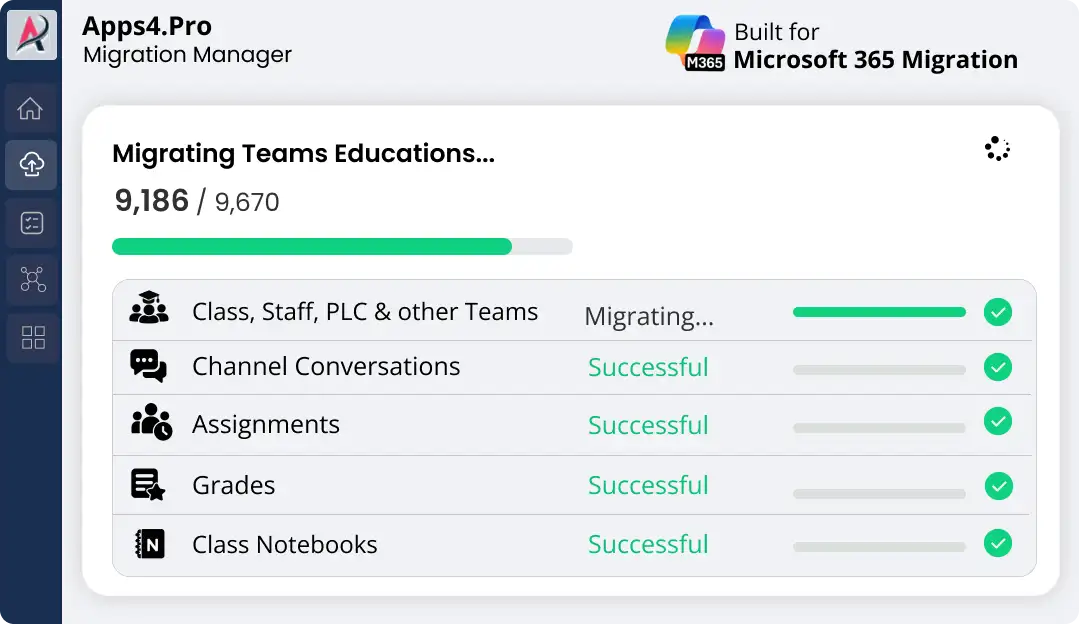
Migrating Teams Educations…
9,186
/ 9,670


Class, Staff, PLC & other Teams


Channel Conversations

Assignments

Grades

Class Notebooks

TRUSTED BY 50,000+
ORGANIZATIONS WORLDWIDE

From Startups to Global Enterprises















See How it Works
Migration In Just 3 Simple Steps!
From setup to validation – full control at every stage.
Migrate everything. Worry about nothing.













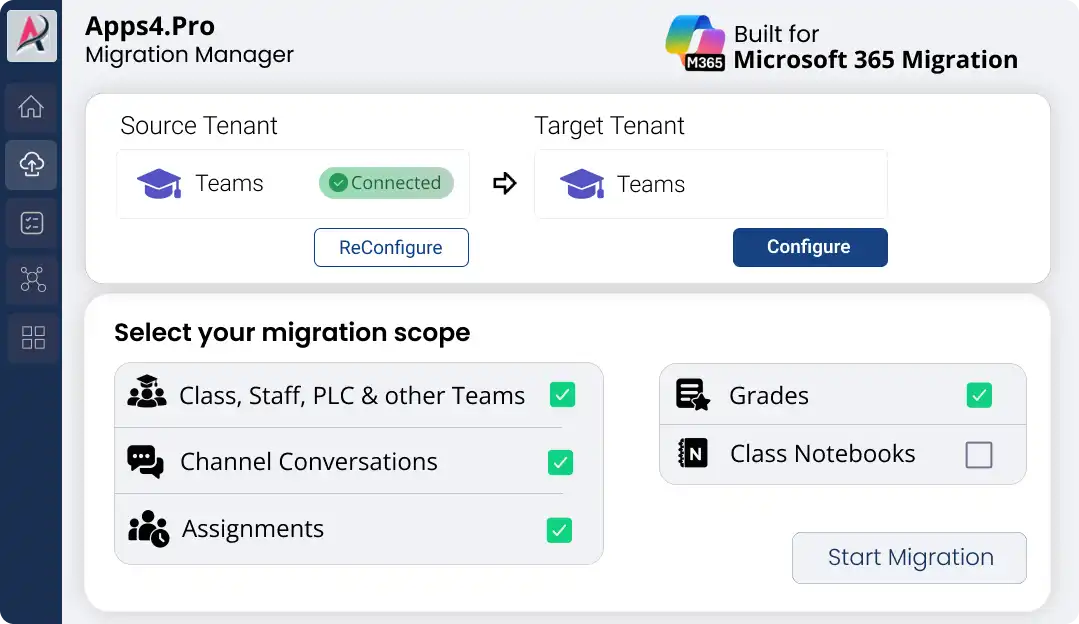
Step 1
Setup & configure in minutes
Connect the source and target Microsoft 365 tenants instantly. No scripting is required.
Step 2
Migrate Unlimited Data
Migrate classes, assignments, grades, and notebooks with real-time progress updates.
Step 3
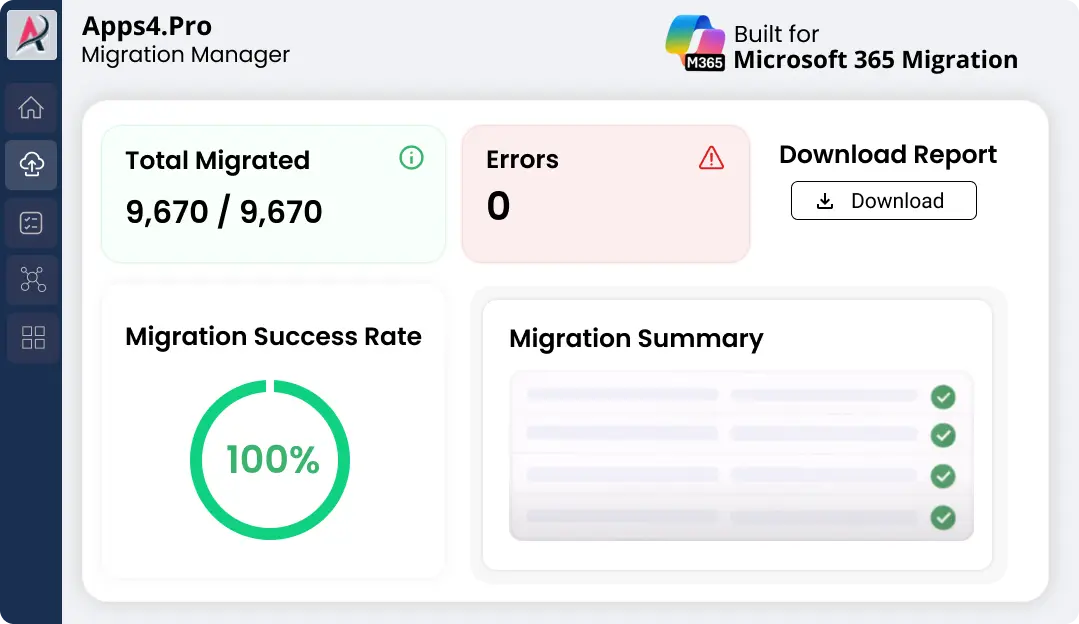
Validate with Confidence
Review detailed accuracy reports & download proof of successful migration in one click.

Pre-Migration Analysis
Gain clarity on your data and get a free inventory report before you migrate.

Complete inventory
Identify migration risk
Migration best practices
2-minute setup. No credit card required
Free for a limited time
Why Teams for Education tenant migration is hard?
Moving a Class Team isn’t just about moving files and channels. Assignments, student folders,
Class Materials, OneNote sections, permissions, and user mappings are closely connected.
A small change in one area can affect how teachers and students access their academic content after migration.

Assignments – Duplicate Student Folders
Student assignment folders may be duplicated during migration, causing the same student’s work to appear in multiple locations. This can make it difficult for teachers to identify and manage the correct student files.
OneNote – Duplicate Student Sections
Differences in language or naming between source and destination tenants can result in duplicate OneNote sections for the same student, making it harder to identify and manage the correct notebook content.
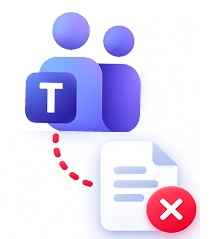
Class Materials – Provisioning Delays
Class Materials resources may not be available immediately in the destination tenant. If migration happens before provisioning is complete, teachers and students may temporarily be unable to access important learning content.

Student Permissions – Cross-Student Data Access
Incorrect permission handling can allow one student to access another student’s files or academic data, creating a serious privacy risk and exposing information to the wrong users.
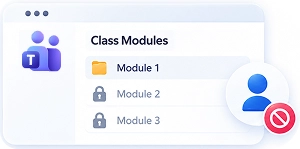
Class Modules – New Members May Lose Access
Students added after Class modules are migrated may not automatically see previously migrated modules, leaving them without access to required class content.

That’s where Apps4.Pro comes in – helping you move Class Teams, assignments, and academic context together, so teachers and students can continue their work in the new tenant.
What Can You Migrate with Apps4.Pro?
Move your entire Teams for Education environment. Preserve the classroom structure, academic content,
assignments, and student-teacher experience as you move to the new tenant.
|
Academic workload
|
What Apps4.Pro helps you migrate
|
|---|---|

Class, Staff, PLC & other Teams
|
What Apps4.Pro helps you migrate

Move Education Teams with their channels, members, and associated team structure.
|

Assignments & Grades
|
What Apps4.Pro helps you migrate
Preserve assignments, submissions, scores, feedback, rubrics, and associated files.
|

Class Notebooks
|
What Apps4.Pro helps you migrate
Migrate OneNote notebook content and structure, including student sections, Content Library, and Collaboration Space.
|

Channel Conversations
|
What Apps4.Pro helps you migrate
Bring channel conversations and message history into the destination Teams environment.
|

Student & Educator Mapping
|
What Apps4.Pro helps you migrate
Map source users to destination accounts to maintain the correct academic relationships.
|

SharePoint & Class Materials
|
What Apps4.Pro helps you migrate
Migrate the files and materials associated with Class Teams while accounting for destination provisioning and folder mapping.
|

Roles & Permissions
|
What Apps4.Pro helps you migrate
Help preserve the intended access for teachers and students through correct identity and permission mapping.
|
The goal isn’t just to move classroom data. It’s to keep the relationships between that data intact.
Why Choose Apps4.Pro for Teams Education Migration?
Instead of treating Teams, SharePoint, OneNote, and academic records as separate migration tasks,
Apps4.Pro helps you manage them as parts of the same Education environment.

Selective Education Migration
Choose the Class, Staff, PLC, or other Education Teams you need to migrate instead of moving everything at once.

Complete Pre-Migration Visibility
Discover Teams, channels, members, groups, and other migration data before migration begins.

Incremental Migration
Re-run completed migrations to capture new or changed content before final cutover.

Educator & Student Mapping
Map teachers, students, users, and groups to the correct destination identities automatically or through CSV-based mapping.

Bulk & Parallel Migration
Create migration tasks in bulk and run multiple Education Team migrations in parallel for larger environments.

Detailed Migration Reporting
Track migration progress, item counts, task results, and detailed logs to identify issues and validate migrated Teams.

Controlled Migration Scope
Control Teams, channels, tabs, conversations, users, and other migration settings based on destination requirements.

FAQ
Answers You Need Before Migrating Teams for Education
Need quick help? Check our FAQs.
Still have questions? Chat with our 24/7 AI support agent.
Does Apps4.Pro support incremental Teams for Education migration?
Does Apps4.Pro preserve OneNote Class Notebook structure?
Does Apps4.Pro preserve permissions during Teams Education migration?

Chat with AI
Still Have a Question?
Our AI Smart Assistant is available 24/7 to provide instant answers to your questions. Start a chat anytime to get the assistance you need.
Ready to Migrate
Ready for a Smooth Teams Education Migration?
Move your Microsoft Teams for Education environment to a new tenant with confidence and
keep your teachers and students ready for a smooth transition.
15 days Free Trial | Free POC | 24/7 Chat & Email Support


 Migrate
 Manage
 Migrate Microsoft 365