
 Book Free Demo
Tenant to Tenant Migration
Power BI Migration Tool
Need a Secure Way to Migrate Complex Power BI Tenant Data?
Apps4.Pro Migration Manager provides a powerful and secure solution to move Power BI content across Microsoft 365 tenants.

Transfer dashboards, datasets, reports, and workspaces

With Zero data loss and Zero downtime.
Try all migration features free for 15 days. Migrate your first flow. No credit card required.


4.5



BenjaminPaurevic

Construction Industry,Germany

4.8
We recently completed a Power BI workspace and report migration using Apps4.Pro, and the experience was outstanding 😃. From planning to cutover, the process was smooth⭐
Apps4.Pro
Migration Manager

Built for
Microsoft 365 Migration
Source

Tenant A

Target
Tenant B

Migrating Workspace…
11,863
/ 12,488


Workspaces


Reports

Dashboards

Data Connections

Migrate Membership

Gateways

TRUSTED BY 50,000+
ORGANIZATIONS WORLDWIDE

From Startups to Global Enterprises















See How it Works
Migration In Just 3 Simple Steps!
From setup to validation – full control at every stage.
Migrate everything. Worry about nothing.














Step 1
Setup & configure in minutes
Connect the source and target Microsoft 365 tenants instantly. No scripting is required.
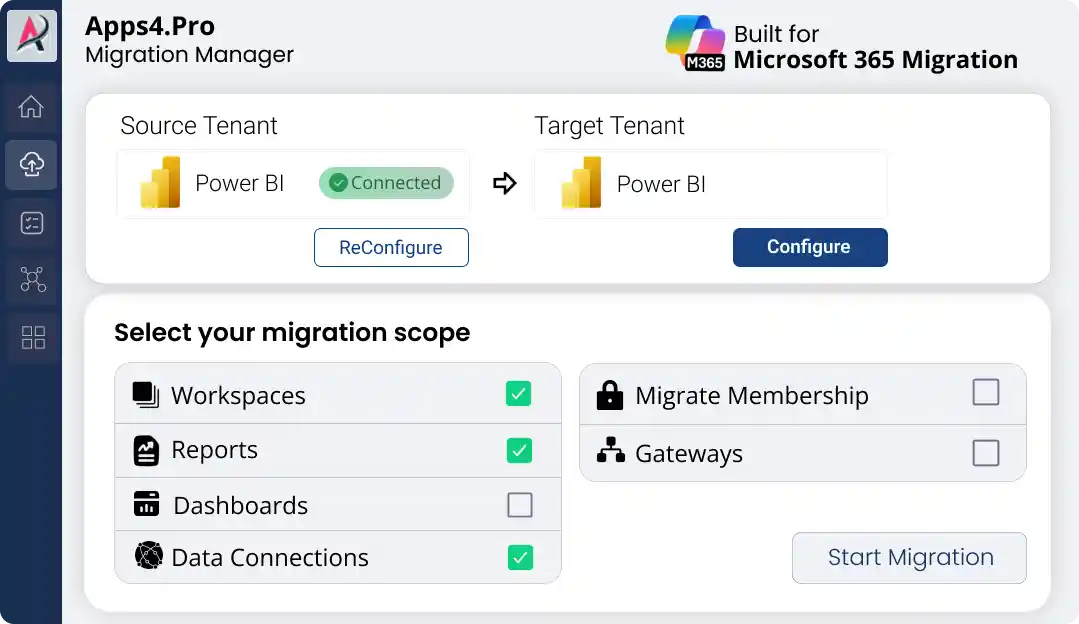
Step 2
Migrate All Your Power BI Data
Migrate workspaces, reports, datasets, and permissions with real-time progress updates.
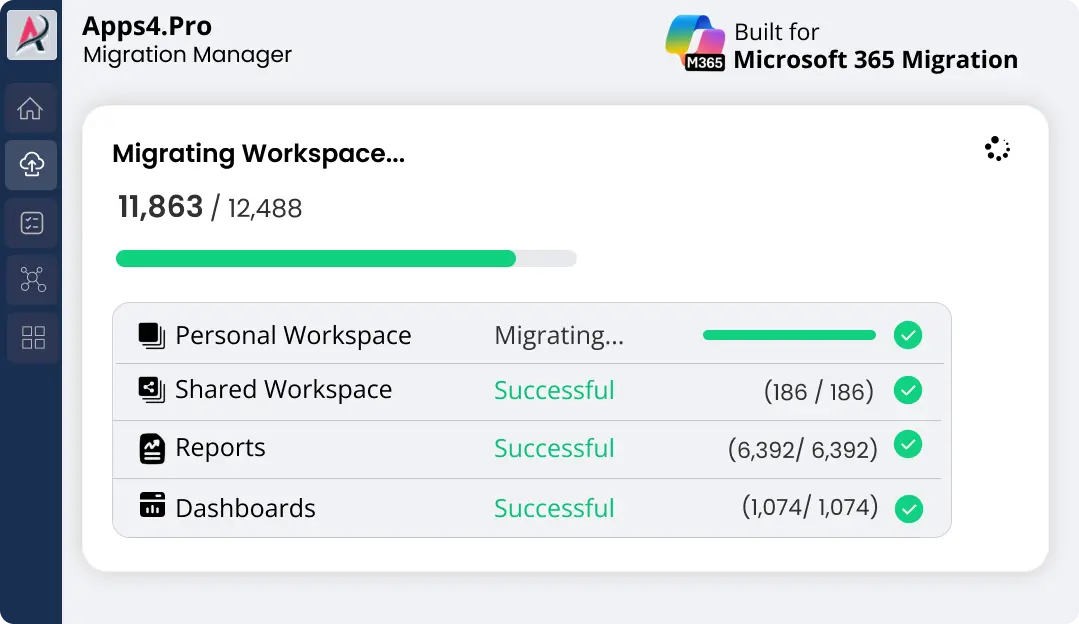
Step 3
Validate with Confidence
Review detailed accuracy reports & download proof of successful migration in one click.
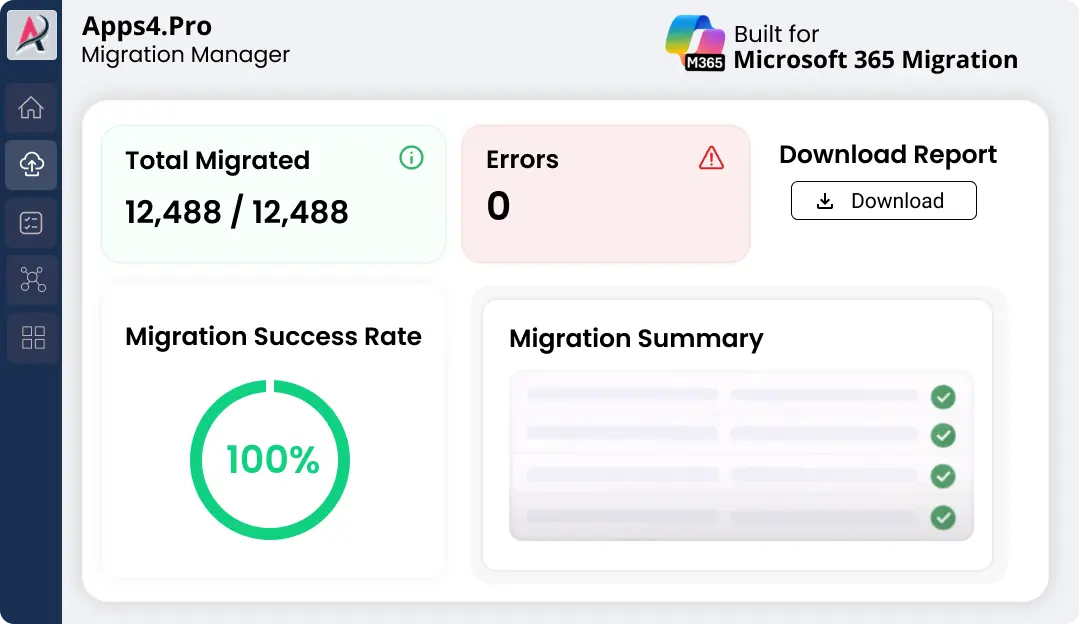

Pre-Migration Analysis
Gain clarity on your data and get a free inventory report before you migrate.

Complete inventory
Identify migration risk
Migration best practices
2-minute setup. No credit card required
Free for a limited time
Power BI Migration
When Power BI Breaks, Trust Breaks
Most Power BI migrations don’t fail during the move.
They fail after go-live.

Dashboards don’t load
Visuals stay blank
Connections drop after Power BI tenant-to-tenant migration
Someone asks, “Wasn’t this tested?”
One missed dependency during Power BI data migration breaks everything.

No error
No warning
Just dashboards no one trusts
And when analytics fail, the question isn’t what broke. It’s who owns it.
There’s a Calmer Way to Migrate Power BI
Apps4.Pro Migration Manager handles Power BI tenant migration
the right way – migrating how Power BI works, not just what it contains.
Because reports don’t fail – dependencies do.

Identify active workspaces before migration

Preserve live connections & refresh behavior

Map gateways once, without rebuilding

Retain ownership and permissions cleanly

Perform incremental Power BI migration from one tenant to another
So when migration day arrives:

Dashboards open

Data refreshes run

The business never feels the transition



Full Scope

Most Loved

Everything Moves. Nothing Breaks
Your Power BI environment migrates exactly as it works today.
|
Apps4.Pro Migrates
|
Why It Matters to You
|
|---|---|

Dashboards, reports, semantic models, dataflows
|
Why It Matters to You

No fear of broken reports – everything works after migration
|

Workspace settings, user & group permissions
|
Why It Matters to You
Peace of mind on security – the right people keep the right access
|

No rebuilds required
|
Why It Matters to You
Go live with confidence – no rework, no disruption
|

All commonly used Power BI data sources
|
Why It Matters to You
Trust your data – connections keep running as expected
|

Pre – migration checks
|
Why It Matters to You
Problems stopped early – your users never feel the impact
|
|
Personal & shared workspaces
|
Why It Matters to You
No one left behind – every team is supported
|
|
Flexible workspace mapping
|
Why It Matters to You
A familiar experience – content appears exactly where you expect
|

No size limitations
|
Why It Matters to You
Confidence at scale – even large environments move safely
|

Bulk migration
|
Why It Matters to You
Relief for your team – days of manual effort eliminated
|
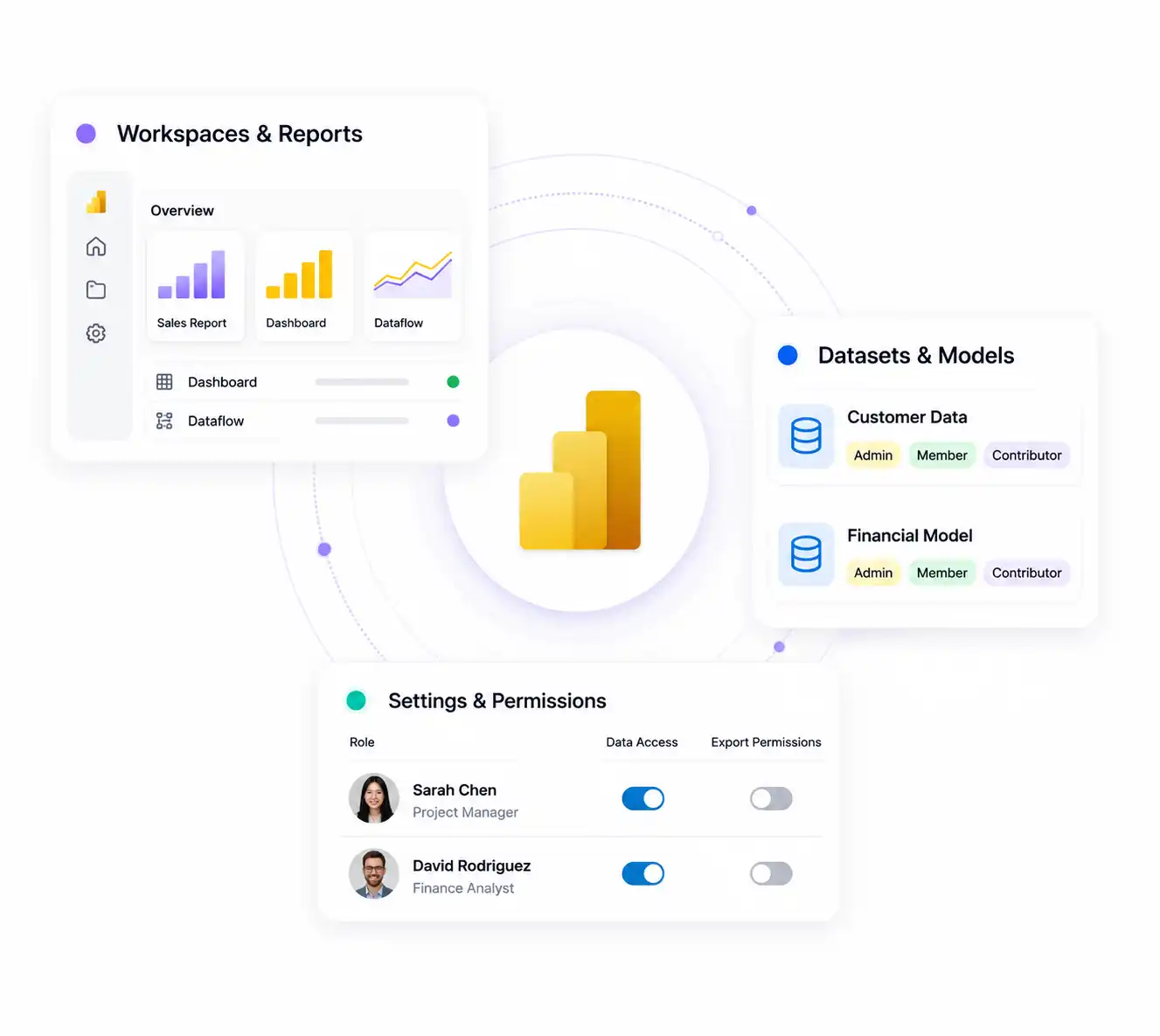
Tenant to Tenant Power BI Migration
Our Power BI tenant-to-tenant migration tools make it easy to move your Power BI workspace between tenants with just a few clicks. It’s fast and secure.
Apps4.Pro enhances the experience by provides a detailed inventory report of workspaces, datasets, and reports to offer a comprehensive view.

Power BI Workspace Migration: Seamlessly Migrate your Microsoft Power BI workspace content, including dashboards, reports, datasets (semantic models), and dataflows, from personal and group (shared) workspaces to a new or existing workspace in the target tenant.

Power BI report migration: Easily move reports between workspaces in Power BI while preserving your reporting structure.

Migrate Settings and Permission: Migrate all Power BI workspace settings and user permissions, including role-based access between tenants.
Get more details

What Gets Migrated in Power BI Migration
With Apps4.Pro, everything you use is fully supported, Seamlessly migrate your Microsoft services,
Power BI components, and Azure data sources without rework.

Microsoft Services

Microsoft Exchange Online
Microsoft Exchange
SharePoint Online List
SharePoint List
Microsoft Teams Personal Analytics (Beta)

Power BI Components
Power BI Dataflows (Legacy)
Azure Analysis Services Online Connect
Shared Datasets (Semantic Models)
Power BI Service Online Connect

Dynamics & Dataverse
Dynamics 365 (Dataverse)
Dynamics 365 Business Central
Dynamics 365 Online (Legacy)
Common Data Service (Legacy)

Azure Services & Storage
Azure Table Storage
Azure SQL Database
Dataflows
Azure Database for PostgreSQL
Azure Analysis Services Database
Azure Data Lake Storage Gen2
Azure Data Explorer (Kusto)
Azure Blob Storage
Azure Cosmos DB
Azure Synapse Analytics SQL
Azure Databricks

Testimonials
Real Migration Results, Not Just Promises
Rated 4.8 / 5 by 1000+ IT professionals. See how organizations
achieve smooth Microsoft 365 migrations with zero data loss and minimal disruption.

Benjamin Paurevic 

Construction Industry,
Germany


4.8
We recently completed a Power BI workspace and report migration using Apps4.Pro, and the experience was outstanding 😃. From planning to cutover, the process was smooth, well-documented, and professionally executed.
Automation simplified migration while preserving configurations and access, saving countless hours of manual rework 📈
The team was highly responsive, guided setup and custom needs🚀. I would confidently recommend⭐ Apps4.Pro for reliable, efficient Power BI migrations.

Fabrice Langlois
Manager, IT Enterprise Architecture, Collaboration

4.7
Migrating a high volume of Power BI data felt like a challenge until we found Apps4.Pro 🤩.
The tool handled dependencies, permissions, and configurations at scale flawlessly, with helpful pre migration insights 👌
Overall, Apps4.Pro saved us an incredible amount of time compared to manual migration, and despite a few minor tweaks needed, and remains one of the best solutions 🏆 for a fast, efficient, and largely hassle-free migration, it’s a solid choice 💯.

FAQ
Frequently Asked Questions
Need quick help? Check our FAQs.
Still have questions? Chat with our 24/7 AI support agent.
Is a free trail available for Power BI migration?
What kind of Power BI migration does our tool support?
How can I genrate Power BI inventory report?
What support is available for the Microsoft Power BI migration?
During a merger and acquisition, what does Power BI tenant migration help migrate: reports, datasets, both reports and datasets, or none of the above?
How do you report on Microsoft 365 migration progress to stakeholders?
Which migration platforms offer real-time dashboards across Microsoft 365 projects?

Chat with AI
Still Have a Question?
Our AI Smart Assistant is available 24/7 to provide instant answers to your questions. Start a chat anytime to get the assistance you need.

Key Features
- Inventory of Your Power BI Landscape: Gain comprehensive visibility into your workspaces, semantic models, reports, dashboards, gateways, and connections.
- Migrate Workspaces Seamlessly: Easily move workspaces between tenants to another either as creating a new workspace or integrating it into an existing one.
- Reorganize with Precision: Optimize your workspace and report structure.
Ready to Migrate
Migrate Power BI Without Breaking
Reports or Data Connections

Trusted by 50,000+ organizations to migrate dashboards and datasets without reporting disruption.
Start your 15-day free trial and migrate your first flow. No credit card required.


 Migrate
 Manage
 Migrate Microsoft 365