
 Book Free Demo
Tenant to Tenant Migration
Microsoft Planner Premium Migration Tool
Move Premium Plans Without Losing the Project Behind Them
Migrating Microsoft Planner Premium is more than moving tasks. Dependencies, assignments, sprints, backlogs, and project structures must arrive correctly in the destination tenant.

Migrate Planner Premium plans between Microsoft 365 tenants.

Preserve project context and essential plan data

Continue working seamlessly without rebuilding plans after migration

 Book Free Demo
Try all migration features free for 15 days. Migrate your first Plan. No credit card required.


4.5



Denzel Dalton

Computer Technician,USA.

4.9
The tool efficiently handled complex needs😌, ensuring nothing was lost in the transition, and its intuitive interface and automation saved us valuable time and effort ⏳.
Apps4.Pro
Migration Manager

Built for
Microsoft 365 Migration
Source

Tenant A

Target
Tenant B

Migrating Premium Plans…
2,655
/ 2,795


Premium Plans


Tasks & Project Structure

Dependencies

Critical Paths

Sprints & Backlogs

User Assignments

TRUSTED BY 20,000+
ORGANIZATIONS WORLDWIDE

From Startups to Global Enterprises














See How it Works
Migration In Just 3 Simple Steps!
From setup to validation – full control at every stage.
Migrate everything. Worry about nothing.













Step 1
Setup & configure in minutes
Connect the source and target Microsoft 365 tenants instantly. No scripting is required.
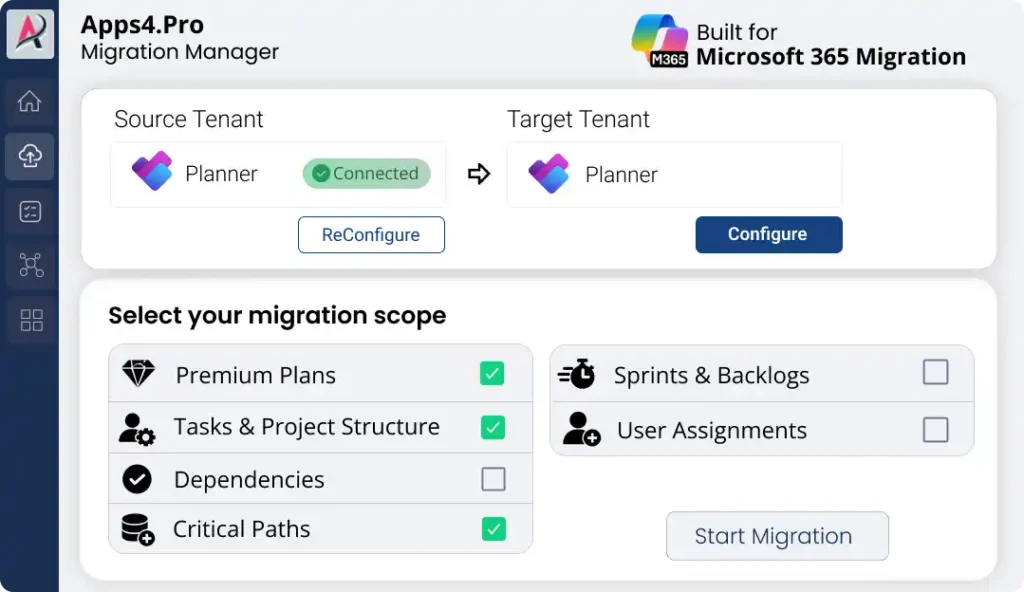
Step 2
Migrate Unlimited Data
Migrate premium plans, tasks, dependencies and assignments with real-time progress.
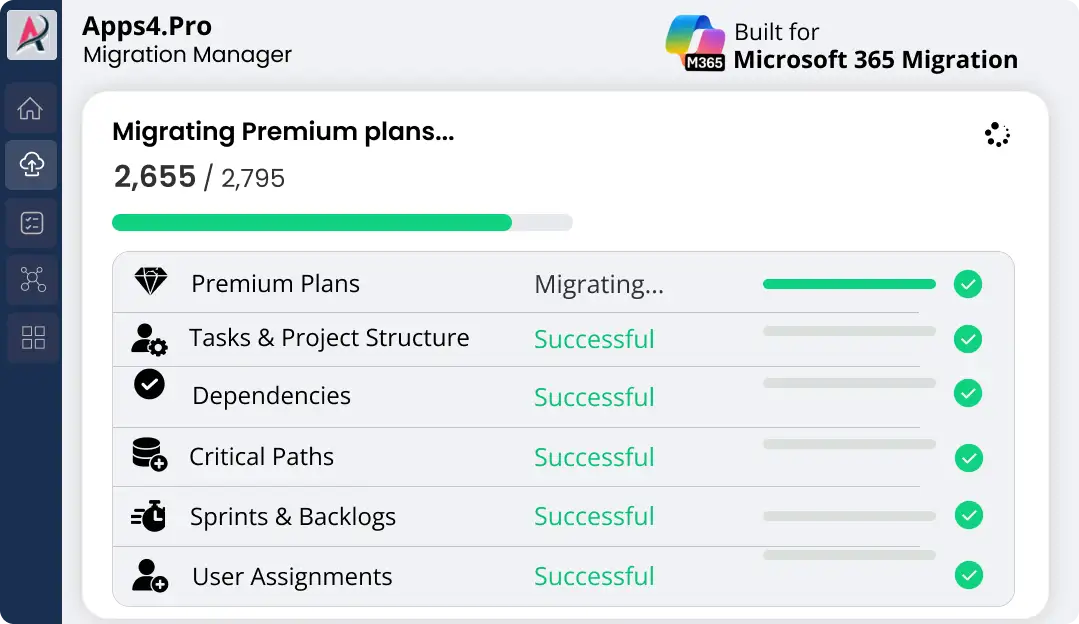
Step 3
Validate with Confidence
Review detailed accuracy reports & download proof of successful migration in one click.
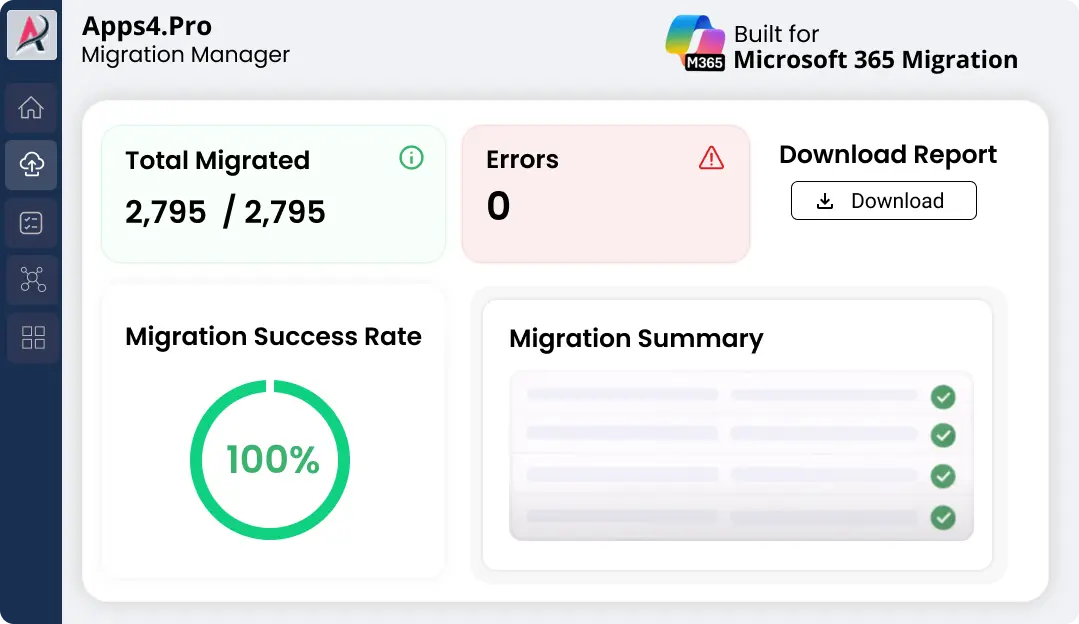

Pre-Migration Analysis
Gain clarity on your data and get a free inventory report before you migrate.

Complete inventory
Identify migration risk
Migration best practices
2-minute setup. No credit card required
Free for a limited time
What Can Go Wrong in a Planner Premium Migration?
A Planner Premium migration can appear successful because the plan and tasks are visible in the destination.
But if dependencies, assignments, sprint structures, critical paths, or Dataverse-backed project data are
missed, teams may be left with an incomplete project that requires manual rebuilding.
Premium Data Missing – Tasks Move, Project Context Doesn’t
Tasks may appear in the destination while important Premium project data is left behind. Teams can end up rebuilding missing project details manually just to continue working.
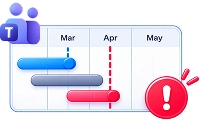
Lost Critical Paths – Project Delays Become Harder to Spot
Without preserved task relationships, the original critical path may no longer be accurate. Teams lose visibility into which delays could impact the final delivery date.

Wrong User Mapping – Tasks Lose Their Owners
Incorrect user mapping can leave tasks assigned to the wrong person—or no one at all. Project managers then have to trace and fix ownership task by task.

Broken Dependencies – Task Sequences Fall Apart
If predecessor and successor relationships are lost, tasks no longer follow the right sequence. One broken dependency can throw off timelines and disrupt the entire project plan.
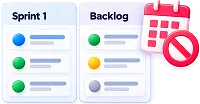
Missing Sprints & Backlogs – Planning Cadence Gets Disrupted
Tasks without their sprint or backlog context can become difficult to organize and prioritize. Teams may have to manually rebuild their planning structure after migration.

Missing Dataverse Users – Assignments Don’t Carry Over
A destination account may exist in Microsoft 365 but still be unavailable for Premium assignments in Dataverse. Tasks can arrive without the intended assignee, creating extra cleanup before teams can resume work.

With Apps4.Pro, these Premium-specific data structures can be handled as part of the migration-helping you move the project, not just the tasks.
See What Basic Planner Migration Can Leave Behind
Most Planner migration tools and scripts are designed around the Microsoft Graph Planner API and basic Planner data.
Planner Premium introduces additional Dataverse-backed project information that requires a migration
approach designed specifically for Premium plans.
|
Capability
|
Basic-plan tools / scripts
|

|
|---|---|---|
 Reads Premium (Dataverse) plans
|
Basic-plan tools / scripts
 Can’t access
|
 Yes
Yes
|
 Dependencies & critical paths
|
Basic-plan tools / scripts
No
|
Yes
|
 Sprints & backlog cadence
|
Basic-plan tools / scripts
No
|
Yes
|
 Goals & goal-linked tasks
|
Basic-plan tools / scripts
No
|
Yes
|
 Effort & % complete
|
Basic-plan tools / scripts
No
|
Yes
|
 Sub-task hierarchy
|
Basic-plan tools / scripts
No
|
Yes
|
From project dependencies to task hierarchy, Apps4.Pro helps you migrate the Premium planning data your teams actually depend on and also support the basic planner migration.
What Can You Migrate with Apps4.Pro?
Move beyond basic task lists. Apps4.Pro supports the Premium project components that
help teams manage complex work.
|
Premium capability pre
|
What Apps4.Pro migrates
|
|---|---|
 Premium Plans
|
What Apps4.Pro migrates
Move Dataverse-backed Premium plans to the destination tenant.
|
 Tasks & Project Structure
|
What Apps4.Pro migrates
Preserve tasks and the project structure behind your plans
|
 Dependencies
|
What Apps4.Pro migrates
Carry predecessor and successor relationships between tasks
|
 Critical Paths
|
What Apps4.Pro migrates
Preserve the relationships required for critical-path planning.
|
 Sprints & Backlogs
|
What Apps4.Pro migrates
Migrate sprint and backlog structures for agile planning.
|
 User Assignments
|
What Apps4.Pro migrates
Map source users to destination accounts and retain task ownership.
|
|
Related Project Data
|
What Apps4.Pro migrates
Move supported Premium components together-not just a basic task list.
|
Key Capabilities of Microsoft Planner Premium Migration
Move Microsoft Planner Premium Workloads with Greater Control and Confidence

Flexible Target Options
Migrate into a new plan, existing plan, or Microsoft 365 Group.

Bulk & Parallel Migration
Migrate hundreds of Planner Premium plans using CSV-based task creation.

Migration Reporting
Track migration progress, validate migrated plans, and export detailed reports.

User & Ownership Mapping
Preserve task assignments and ownership with automatic or CSV-based mapping.

Incremental Migration
Re-run completed tasks to capture the latest plan changes before cutover.

Advanced Migration Control
Choose specific plans to migrate and manage migration scope without scripting.

Testimonials
Real Migration Results, Not Just Promises
Rated 4.8 / 5 by 1000+ IT professionals. See how organizations
achieve smooth Microsoft 365 migrations with zero data loss and minimal disruption.
→Customer success stories

Denzel Dalton 

Computer Technician,
USA.


4.8
Apps4.Pro Planner Migration Manager made our Microsoft Planner migration seamless and hassle free 😌.
The tool efficiently handled complex needs, ensuring nothing was lost in the transition, and its intuitive interface and automation saved us valuable time and effort ⏳.
Bulk migration was effortless, and the reports kept us fully in control 🙌. We highly recommend Apps4.Pro for any organization for Planner migrations.

Mike Maadarani
Cloud Solutions Architect, Ottawa, Canada

4.8
Once in contact with Apps4.pro’s sales team, we realized the Apps4.Pro can migrate not only Microsoft Planner but also Teams, OneNote and Wiki among others, and therefore decided to run the POC for all the components 😃.
After a 100% successful result, we trust Apps4.Pro for all our future migrations and have already moved 1,200+ plans 🎯 seamlessly and will keep helping MCM deliver to its clients.
The product was easy to use, and it migrated everything as expected 🙌.

Mohamad Nuzul Izwan
Group Business Technology,
PLI Petronas

4.8
Apps4.Pro Migration Manager was leveraged to merge the PLI Yammer network with the existing PETRONAS Parent network 😍.
The tool has smoothly migrated around 200 plans and 600 GB of Stream videos while minimizing user impact 👌.
As part of the migration, Apps4.Pro helped us to perform the group clean up and rename activities too. Thanks to their professional consulting service. The entire migration was smooth with least permissions reports saved us valuable time ⏱️.

FAQ
Everything You Need to Know Before Migrating Planner Premium
Need quick help? Check our FAQs.
Still have questions? Chat with our 24/7 AI support agent.
What happens to task assignments during migration?
Can we migrate only selected Premium plans?
Can Apps4.Pro migrate Planner Premium plans?
How do we validate a Planner Premium migration?
Does Apps4.Pro support both Planner Basic and Planner Premium?

Chat with AI
Still Have a Question?
Our AI Smart Assistant is available 24/7 to provide instant answers to your questions. Start a chat anytime to get the assistance you need.
Ready to Migrate
Keep Every Premium Plan Intact Across Tenants

Migrate Planner Premium without losing sprints, dependencies, goals, effort tracking, sub-tasks,
or assignments. See how Apps4.Pro handles the migration from discovery to cutover.
Try all migration features free for 15 days. Migrate your first Plan. No credit card required.


 Migrate
 Manage
 Migrate Microsoft 365