
 Book Free Demo


MICROSOFT 365 MIGRATION TOOL COMPARISON
Apps4.Pro vs ShareGate :
Microsoft 365 Migration Tool Comparison
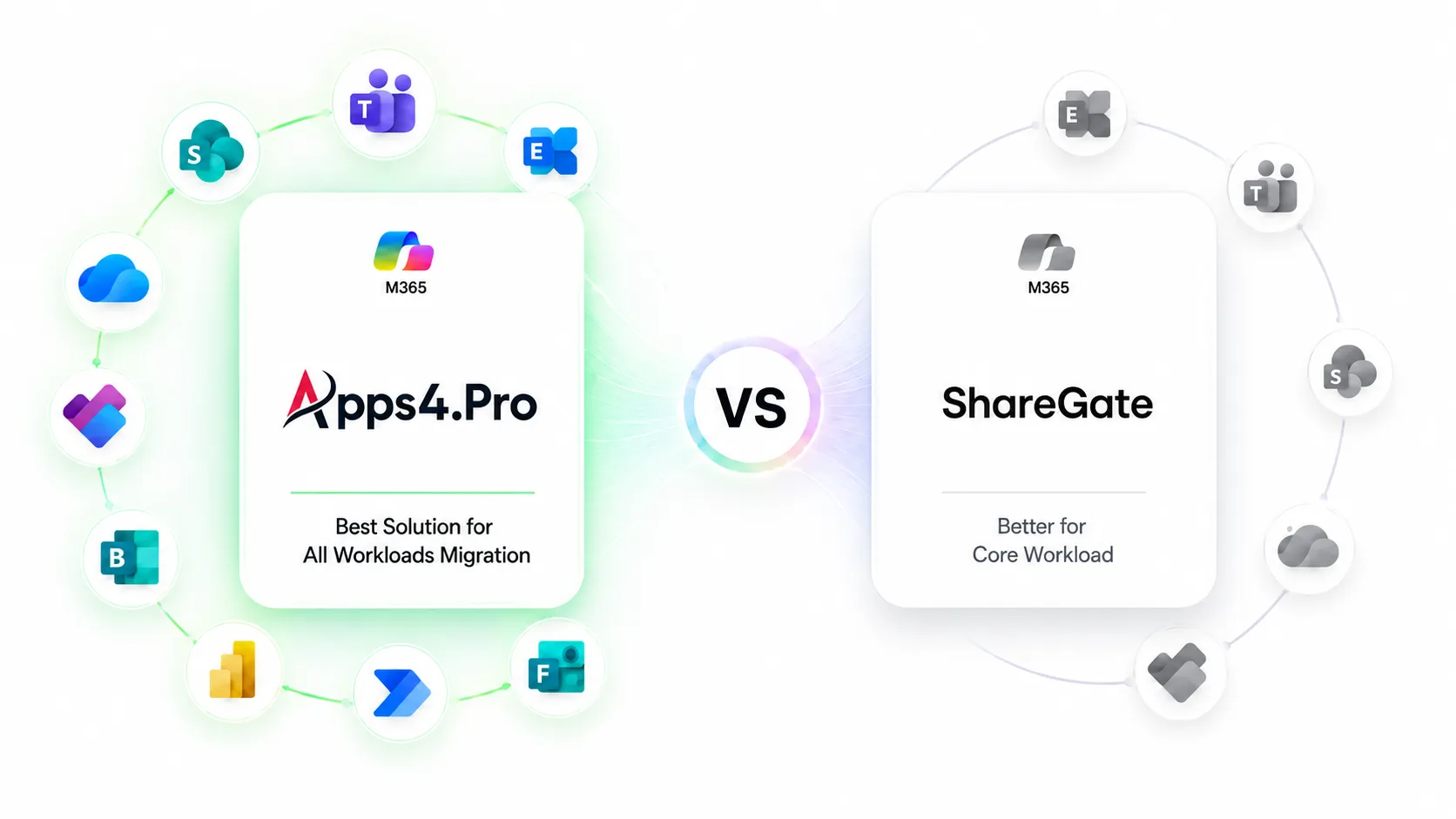
Both tools migrate SharePoint, OneDrive, Teams, and Exchange between Microsoft 365 tenants. They diverge on everything else. ShareGate covers more source environments, including Entra ID identity, Box, and on-premises SharePoint. Apps4.Pro covers more Microsoft 365 workloads, including Teams chat, Viva Engage, Microsoft Forms, Power Automate, Power BI, Planner Premium, and Bookings.
This page compares both against current vendor documentation, cites its sources, and states where each tool is the better choice.

One Platform

More Workloads

Less Migration Complexity
10+
Additional M365
Workloads

VS
Core
Microsoft 365
Workloads
ShareGate


Verified against ShareGate product documentation and pricing on 11 September 2026, and against Apps4.Pro product documentation on the same date. Both products change frequently. Confirm current capabilities with each vendor before purchase.

Apps4.Pro Migration Manager is a Microsoft 365 tenant-to-tenant migration tool from JiJi Technologies Private Limited. ShareGate Migrate is a Microsoft 365 migration tool from ShareGate. The main practical difference is scope: ShareGate migrates a smaller set of Microsoft 365 workloads but supports more source platforms and identity migration; Apps4.Pro migrates a wider set of Microsoft 365 workloads, including workloads ShareGate does not currently move, but does not migrate identity.

TRUSTED BY 20,000+
ORGANIZATIONS WORLDWIDE

From Startups to Global Enterprises










WORKLOAD COVERAGE MATTERS
Does Your Migration Tool Cover Every Microsoft 365 Workload?
Most Microsoft 365 migration projects are scoped around four workloads:
Exchange, SharePoint, OneDrive, and Teams. Those are the workloads that appear in the tenant inventory, and they are the ones every migration tool on the market handles.
The scope problems usually appear later, during user acceptance testing, when someone asks where the approval flows went, or why the operations dashboard is empty, or why three years of project history is missing from Planner. By then the cutover date is fixed, and the remediation options are manual export, manual rebuild or buying a second tool mid-project.
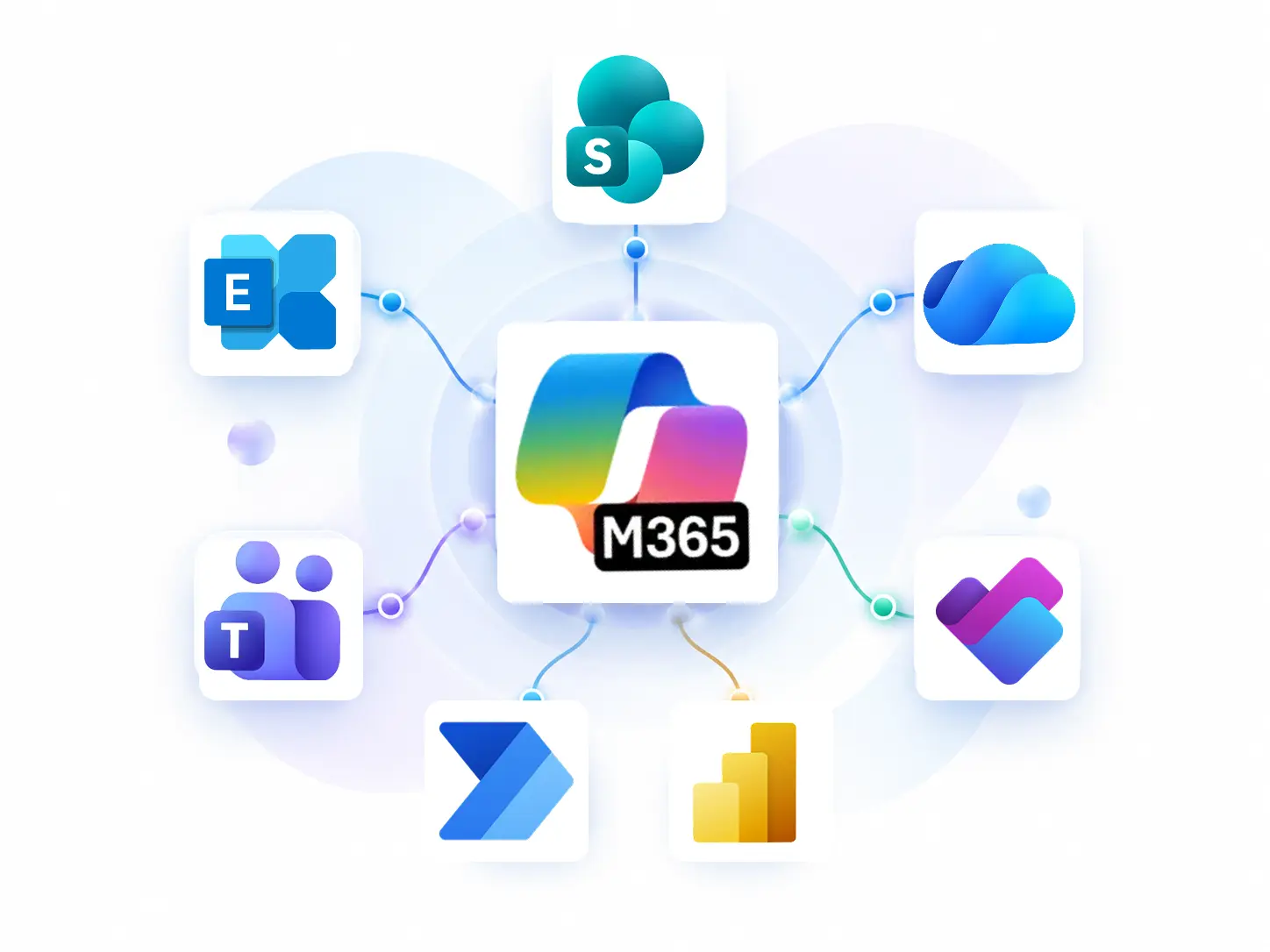
Workloads that commonly get discovered late:

Power Automate flows running approvals, notifications, and integrations that nobody documented

Power BI reports, dashboards, workspaces, and semantic models that finance and operations depend on

Microsoft Forms and their historical response data, often used for compliance attestations and surveys

Planner plans, including Premium plans carrying sprints, dependencies and goals

Teams 1:1, group and meeting chats, which now hold the decision history that used to live in email

Viva Engage communities, conversations and memberships

Microsoft Bookings calendars and staff configuration
Scope these before you choose a tool, not after. The pre-migration inventory is the cheapest hour of the project.
Most migration projects start with the core Microsoft 365 workloads:

Exchange

SharePoint

OneDrive

Teams
But these are only the visible part of your tenant.
The difficult gaps often appear when the project team discovers that employees also depend on:
Business Applications

Power Automate Flows

Power BI Reports & Datasets

Microsoft Forms & Responses

Planner Projects

Microsoft Bookings
Collaboration
Teams Chat History

Viva Engage Communities
When These Workloads Aren’t Supported
Manual Exports
Export data manually

Manual Rebuilding
Recreate apps and configurations

Multiple Tools
Manage multiple migration tools
Data Left Behind
Business data remains in the source tenant
Microsoft 365 Workload Coverage Map:
Apps4.Pro vs ShareGate
The clearest way to compare two migration tools is to line up what each one actually moves.
Every ShareGate entry below is sourced from ShareGate’s own documentation or pricing page as of 11 September 2026.

Core Microsoft 365 workloads
|
||
|---|---|---|
|
Workload
|
|
ShareGate
|
|
Exchange Online Mailboxes
|

Supported
|
ShareGate
Supported (Migrate Pro and Enterprise only)
|
|
SharePoint Online
|
Supported
|
ShareGate
Supported
|
|
OneDrive for Business
|
Supported
|
ShareGate
Supported
|
|
Teams (teams and channels)
|
Supported
|
ShareGate
Supported
|

Additional Microsoft 365 Workloads
|
||

Teams chat (1:1, group, meeting)
|
Supported
|
ShareGate

Not currently available
|
|
Teams channel conversations
|
Migrated as channel messages
|
ShareGate
Migrated, with the 50 most recent in the Posts tab and older conversations in an HTML Message history tab
|
|
Planner Basic
|
Supported
|
ShareGate
Not Supported
|

Planner Premium
|
Supported, including sprints, dependencies, goals, effort, % complete and sub-tasks
|
ShareGate
Not Supported
|
|
Viva Engage
|
Supported (volume capped by licence tier)
|
ShareGate
Not Offered
|
|
Forms
|
Supported, with response data (volume capped by licence tier
|
ShareGate
Not Offered
|
|
Power Automate
|
Supported (volume capped by licence tier)
|
ShareGate
Not Offered
|
|
Power BI
|
Supported (volume capped by licence tier)
|
ShareGate
Not Offered
|
|
Bookings
|
Supported
|
ShareGate
Not Offered
|
Source Environments
|
Source
|
|
ShareGate
|
|---|---|---|

Microsoft 365 tenant
|
Supported
|
ShareGate
Supported
|

Entra ID identity migration
|
Not offered
|
ShareGate
Supported (Pro and Enterprise)
|

Google Workspace
|
Not currently available
|
ShareGate
Supported (Pro and Enterprise)
|

Box
|
Not offered
|
ShareGate
Supported (Pro and Enterprise)
|

File shares
|
Not offered
|
ShareGate
Supported (all tiers)
|

On-premises SharePoint
|
Not offered
|
ShareGate
Supported
|
Migration Operations
|
Capability
|
|
ShareGate
|
|---|---|---|

Incremental / delta migration
|
Supported
|
ShareGate
Supported. Incremental passes copy new and changed content only and do not delete items at the destination
|

Parallel execution
|
1 / 5 / 20+ machine installations by tier
|
ShareGate
1 / 5 / 25 machine activations by tier
|

Pre-migration inventory report
|
Supported
|
ShareGate
Supported (source analysis and permissions matrix reports)
|

Microsoft Purview sensitivity label migration
|
Not offered
|
ShareGate
Supported (Pro and Enterprise)
|

Microsoft national clouds (GCC, GCC High, DoD, 21Vianet, Germany)
|
Confirm with vendor
|
ShareGate
Not supported for Teams migration. GCC High is listed on ShareGate’s public roadmap
|
ShareGate entries sourced from ShareGate’s Copy Teams limitations documentation (updated 20 May 2026), Copy Teams Planner documentation (24 April 2025), ShareGate Migrate FAQ (26 June 2025), ShareGate pricing, and the ShareGate product roadmap, all retrieved 11 September 2026. Apps4.Pro entries reflect current Apps4.Pro product documentation and published pricing. Capability and licensing may change; verify before purchase.
What Apps4.Pro Migrates That ShareGate Does Not

Teams Chat
Apps4.Pro migrates Teams 1:1, group, and meeting chats as native Teams messages, keeping order, senders, timestamps, attachments, and reactions where Microsoft APIs allow. Users reply inside Teams. ShareGate does not currently migrate Teams private chats.
Planner (Basic & Premium)
Apps4.Pro migrates Planner Basic and Premium plans between tenants, preserving sprints, dependencies, goals, effort, percent complete, and sub-tasks alongside buckets, tasks, assignments, attachments, and comments. ShareGate documents Premium as unsupported
Power BI
Apps4.Pro migrates Power BI reports, dashboards, workspaces, and semantic models between tenants, preserving configurations and access where the platform permits. Reporting stays available at cutover instead of being rebuilt by the BI team in the weeks afterwards.
Power Automate
Apps4.Pro migrates Power Automate flows to the destination tenant. Flows that run approvals, alerts, and line-of-business integrations are among the most disruptive things to lose at cutover because their failure is usually silent.

Viva Engage
Apps4.Pro migrates Viva Engage communities, conversations and memberships, including internal and external networks. This preserves organisational knowledge that would otherwise have to be rebuilt community by community.
Microsoft Forms
Apps4.Pro migrates Microsoft Forms together with supported response data, so historical survey and attestation records move with the form rather than being exported to spreadsheets.
ShareGate Limitations (Documented by ShareGate)
Every item below comes from ShareGate’s own published documentation, retrieved 11 September 2026.
None of it is inferred, and none of it makes ShareGate a poor tool. These are scope
boundaries that determine whether ShareGate fits a given project.

Private Chat
Private chat is unavailable. ShareGate migrates channel posts and replies, but not 1:1 or group chats. A PowerShell Copy-Chat beta was withdrawn after a 5 May 2026 notice cited message-history issues for late joiners. It sits under Near Term (PowerShell) and Looking Ahead (in-product); treat chat as out of scope. ShareGate notice ·ShareGate roadmap
Posts Limit
Only the 50 most recent channel conversations land in the live Posts tab. ShareGate writes all conversations to an HTML archive page in a new Message history tab, copying the 50 most recent into the Posts tab. The PowerShell module, on Migrate Pro and Enterprise, raises this limit to 500. ShareGate documentation

Lost Reactions
Reactions, link previews, and mentions do not survive channel migration. ShareGate documents that reactions are not migrated, link previews are not copied, and mentions convert to formatted text that no longer resolves to the user. Each migrated conversation also gets a disclaimer line naming the migration account and source tenant.

Shared Channels
Shared channels are not supported. ShareGate Migrate cannot migrate channels shared between multiple teams, known as Microsoft Teams Connect. This applies across every team in the migration, not just individual channels, so plan to manage shared channels separately, outside ShareGate Migrate’s supported scope, using a separate manual process.
Duplicate Channel
A renamed General channel produces a duplicate. If the General channel was renamed in the source team, the destination team ends up with both the renamed channel and a new, empty General channel automatically provisioned by Microsoft. Plan to identify and manually remove the duplicate channel after migration, before rollout.

Exchange Services
Exchange-attached services in Teams do not migrate. ShareGate documents that services connected to Exchange, such as the Calendar in Teams and shared mailboxes, cannot be migrated as part of a team because they are not attached to SharePoint. Plan to migrate these Exchange-dependent services separately, using another tool or process.

Tenant Tabs
Several tabs only work within the same tenant. ShareGate documents that Yammer, Power BI, Stream, Forms, and Whiteboard tabs are supported only when migrated within the same tenant. In a tenant-to-tenant move, these tabs are created but must be manually reconfigured. Flow and Wiki tabs are not supported at all.
Planner Rewrites
Planner authorship and timestamps are rewritten. ShareGate documents that Created by and Completed by fields are replaced by the migration account, and timestamps are replaced by the migration date and time. Original values are added as a task comment. Background, notifications, and favourites are not preserved; Premium plans are unsupported. ShareGate documentation

National Clouds
Microsoft national clouds are not supported for Teams migration. ShareGate documents that GCC, GCC High, and DoD, Microsoft 365 China operated by 21Vianet, and Microsoft 365 Germany are not supported for Copy Teams. GCC High support appears under Looking Ahead on the roadmap, so teams should plan around this gap.
Apps4.Pro as a ShareGate Alternative
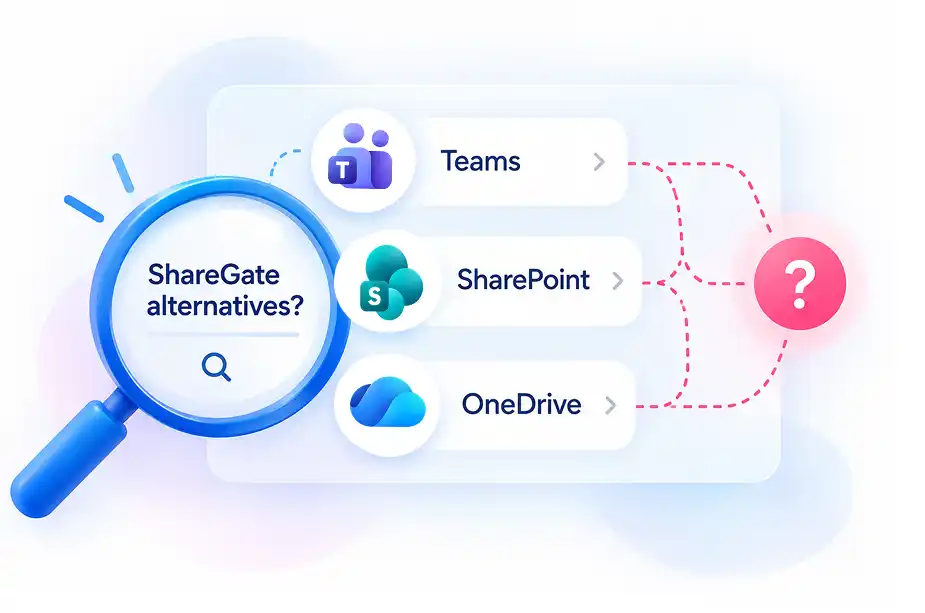
Why organisations look for a ShareGate alternative
Three triggers account for most of it. First, Teams chat, which ShareGate does not migrate, and which users notice within hours of cutover. Second, Power Platform, where ShareGate has no coverage for Power BI, Power Automate, or Forms. Third, tier: Migrate Essentials, at $5,995, excludes Exchange Online mailbox migration, so a small mail project must move to Migrate Pro at $9,995.
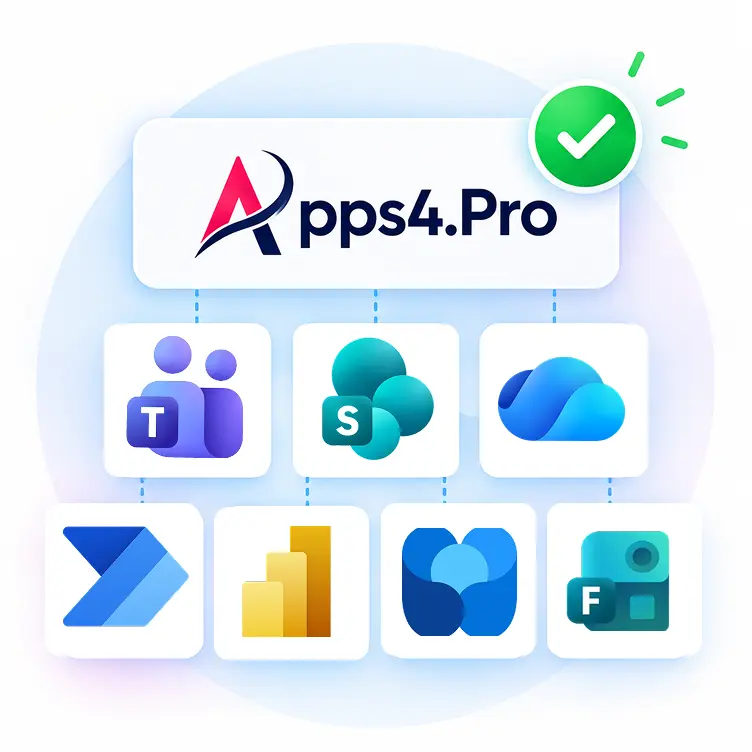
When Apps4.Pro is a suitable alternative
Apps4.Pro is a direct substitute when the project is Microsoft 365 to Microsoft 365, and the scope extends past the four core workloads. It covers the same core workloads as ShareGate and adds Teams chat, Planner Premium, Viva Engage, Forms, Power Automate, Power BI, and Bookings in one licence. Exchange Online mailbox migration is included from the entry tier, unlike ShareGate here.

When ShareGate remains the better fit
If the project requires Entra ID identity migration, ShareGate does that, and Apps4.Pro does not. The same applies to Box, file shares, and on-premises SharePoint as sources, and to Microsoft Purview sensitivity label migration. These are not close calls; they are outright capability gaps on the Apps4.Pro side, and any project built around them should always default to ShareGate instead, without exception.
What to do about it
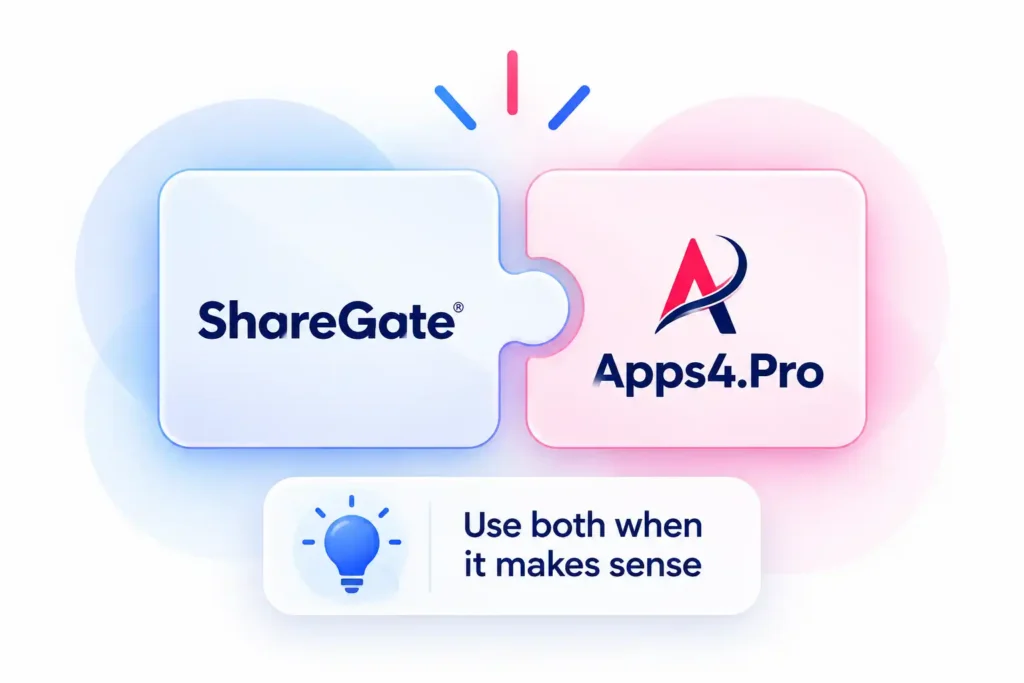
The two tools are not mutually exclusive, and in large consolidations they are sometimes deployed together: ShareGate handling identity and non-Microsoft sources, Apps4.Pro covering the workloads ShareGate does not move at all. If that combined scope matches your project, price both tools separately rather than forcing a single platform to cover ground it was never built entirely to cover in the first place.
Which Tool Is the Right Fit for Your Project?
Both are established Microsoft 365 migration tools with published documentation and
public pricing.The decision is almost always determined by scope rather than by quality.
Choose Apps4.Pro when…
● Teams 1:1, group, or meeting chat history has to move as native Teams messages.
● The scope includes Power BI, Power Automate, or Microsoft Forms.
● Planner is in scope, and any plans are Premium.
● Viva Engage communities, or Microsoft Bookings are in scope.
● The project is Microsoft 365 to Microsoft 365, and you want a single licence covering core and additional workloads.
● Exchange mailbox migration is needed at the entry price tier.
● You want guided onboarding and migration planning support included in the engagement.
Choose ShareGate if…
● Your migration focuses primarily on Exchange Online, SharePoint Online, OneDrive, and Microsoft Teams.
● Microsoft Entra ID migration is a key project requirement.
● Your source environment includes Google Workspace, file shares, Box, or on-premises SharePoint.
● Microsoft Purview sensitivity label mapping is an important requirement.
● You’re looking for ongoing Microsoft 365 governance through ShareGate Protect or prefer its licensing model.
By scenario
|
Scenario
|
Usually the better fit
|
Why
|
|---|---|---|

Merger or acquisition, full tenant consolidation
|
Usually the better fit
Depends on identity ownership. ShareGate if you must create and map users; Apps4.Pro if identity is handled separately and the content scope is wide
|
Why
Identity migration is the dividing line
|

Divestiture or carve-out
|
Usually the better fit
ShareGate
|
Why
Identity and permissions restructuring dominate the work
|

Google Workspace to Microsoft 365
|
Usually the better fit
ShareGate today; Apps4.Pro if you can use the open beta
|
Why
ShareGate’s Google support is generally available
|

Data-centre or regional tenant move
|
Usually the better fit
Apps4.Pro
|
Why
Wide workload coverage matters more than source diversity.
|

Regulated environment on GCC High or DoD
|
Usually the better fit
Neither is confirmed today
|
Why
ShareGate documents national clouds as unsupported for Teams; confirm Apps4.Pro coverage directly
|

Microsoft 365 to Microsoft 365 with Power Platform in scope
|
Usually the better fit
Apps4.Pro
|
Why
ShareGate does not migrate Power BI, Power Automate, or Forms
|
Beyond Workload Coverage:
Comparing the Migration Experience
Workload coverage decides whether a tool can do the job. The items below decide
how long it takes and how much manual work lands on your team.
|
Criterion
|
|
ShareGate
|
|---|---|---|

Throughput model
|
Parallel migration across 1, 5, or 20+ machine installations by tier
|
ShareGate
1, 5, or 25 machine activations by tier, with up to 25 concurrent migrations on Enterprise
|
|
Incremental Migration
|
Multiple deltas passes before final cutover
|
ShareGate
Supported. Copies new and changed content only; does not delete at the destination
|

Pre-migration planning
|
Free inventory and risk report before migration
|
ShareGate
Source analysis report, permissions matrix report, site and site collection reports, checked-out documents report
|

Validation and Reporting
|
Item-level reports, validation summaries and audit logs, downloadable as proof
|
ShareGate
Migration reports covering completed items, warnings and errors
|

Mid-run control
|
Confirm with vendor
|
ShareGate
Running migrations can be cancelled only; they cannot be paused, resumed or reverted
|

Scripting
|
No scripting required
|
ShareGate
No PowerShell required; a PowerShell module is available on Pro and Enterprise and is required for some capabilities
|

Support
|
Basic (email, within 2 business days), Priority (within 12 hours including weekends), Enterprise SLA (under 2 hours for critical issues)
|
ShareGate
Documentation, knowledge base and partner network; 24/7 premium support on Enterprise
|

Certifications
|
ISO certified, Microsoft Solutions Partner
|
ShareGate
Established partner programme with 1,800+ partners
|
Apps4.Pro vs ShareGate Pricing
Both vendors publish list pricing, which is unusual in this category and makes a
direct comparison possible. Figures below are list prices retrieved
on 11 September 2026 and exclude negotiated, partner, and multi-year terms.
|
Pricing & Licensing
|
|
ShareGate
|
|---|---|---|

Entry tier
|
Essentials, $5,995, 1 machine
|
ShareGate
Migrate Essentials, $5,995, 1 machine activation
|

Mid tier
|
Growth, $8,995, 5 machines
|
ShareGate
Migrate Pro, $9,995, 5 machine activations
|

Top tier
|
Enterprise, $17,995, 20+ machines
|
ShareGate
Migrate Enterprise, from $17,995, 25 machine activations
|

Trial
|
15 days
|
ShareGate
15 days, full-featured
|

Priced per end user?
|
Confirm with vendor
|
ShareGate
Running migrations can be cancelled only; they cannot be paused, resumed or reverted
|
|
Scripting
|
No
|
ShareGate
No
|
What the entry tier actually includes: This is where the two diverge most and where the comparison is most useful. ShareGate Migrate Essentials covers SharePoint, Teams, Planner, OneDrive, and file shares. It does not include Exchange Online mailbox migration, Google Workspace, Box, Entra ID, Purview sensitivity labels, or the PowerShell module; those require Migrate Pro or Enterprise. Apps4.Pro Essentials includes Exchange mailboxes, SharePoint, OneDrive, Teams channels, Teams chats, and Planner with no volume limit, plus capped allowances for the additional workloads.
Where Apps4.Pro meters and ShareGate do not. Apps4.Pro caps four workloads by tier:
|
Workload
|
Essentials
|
Growth
|
Enterprise
|
|---|---|---|---|
|
Viva Engage communities
|
Essentials
10
|
Growth
20
|
Enterprise
50
|
|
Microsoft Forms
|
Essentials
300
|
Growth
500
|
Enterprise
2,000
|
|
Power Automate flows
|
Essentials
50
|
Growth
100
|
Enterprise
200
|
|
Power BI workspaces
|
Essentials
10
|
Growth
25
|
Enterprise
100
|
Mailbox, OneDrive, SharePoint, Teams channels, Teams chats and Planner are unlimited on every tier. Additional capacity for the four metered workloads is available as an add-on licence. Run your inventory report before selecting a tier; these are the numbers that determine which tier you actually need.
→ Apps4.Pro pricing · ShareGate pricing
What Apps4.Pro Does Not Do

Apps4.Pro does not migrate Entra ID identities. Users must already exist at the destination or be created through Microsoft-native tooling or another product.

Apps4.Pro does not migrate Microsoft Purview sensitivity labels.

Apps4.Pro does not migrate from Box, file shares, or on-premises SharePoint. Google Workspace migration is available as an open beta covering Gmail, Drive and Shared Drives, Calendar, Contacts, Groups and Google Chat 1:1, and is not yet generally available.

Viva Engage, Forms, Power Automate and Power BI are subject to per-tier volume limits, listed above.
If any of these sit on your critical path, say so on the first call, and we will tell you plainly whether
Apps4.Pro fits or whether another tool is the better choice for that part of the project.

Testimonials
Real Migration Results, Not Just Promises
Rated 4.8 / 5 by 1000+ IT professionals. See how organizations achieve
smooth Microsoft 365 migrations with zero data loss and minimal disruption.
→Customer success stories
Testimonials
What Our Clients Say About Us?
Real stories from IT leaders who rely on Apps4.Pro for seamless
Microsoft 365 migration.

Stephen Bala 

IT Infra & Cyber Defense Manager,UAE


4.9
Out of all the platforms we had to move, we were hesitant about migrating our Yammer communities tenant-to-tenant 😟, but Apps4.Pro really surprised us 😊
They preserved all our posts, conversations, files, and memberships while also supporting both internal and external networks.
What stood out most was their clear guidance, quick responses, and genuine support that made the whole process smooth and successful 🙌.

Denzel Dalton 
Computer Technician,
USA.


4.8
Apps4.Pro Planner Migration Manager made our Microsoft Planner migration seamless and hassle free 😌.
The tool efficiently handled complex needs, ensuring nothing was lost in the transition, and its intuitive interface and automation saved us valuable time and effort ⏳.
Bulk migration was effortless, and the reports kept us fully in control 🙌. We highly recommend Apps4.Pro for any organization for Planner migrations.

Martin Bergholdt
Information technology and services, Denmark


4.9
We recently completed our Yammer data center migration from the US to the EU 🌍, and the process went far smoother than expected 😊.
Historical conversations were fully preserved with minimal user disruption, which was a big relief 😌.
The team guided us from start to finish, kept compliance in check, and gave us confidence. I’d definitely recommend this solution to any organization making a similar transition✨.

Fabrice Langlois
Manager, IT Enterprise Architecture, Collaboration


4.8
Migrating our Yammer communities seemed complex 🧩, but Apps4.Pro made it smooth and hassle-free 🎯.
Its automation & flexibility let us pre-stage data, schedule migrations, and generate reports that kept us in control .
Despite years of data and large user base, the migration was fast, accurate, and disruption-free ⭐. Thanks to Apps4.Pro, we consolidated our Yammer networks and streamlined communications 🙌.

Mohan Venkatavarathan
Technology – Digital Transformation, Singapore

4.7
Migrating our Teams 1:1 and group chats 😅 was critical, and Apps4.Pro exceeded expectations 🚀.
The tool seamlessly and securely moved entire chat histories, attachments, and permissions while keeping conversations intact 🔒.
Easy to install and configure, it ensured minimal downtime so our teams could keep collaborating without disruption 🙌. If you’re looking for a reliable Teams chat migration tool, Apps4.Pro is the way to go! ⭐
Fabrice Langlois
Manager, IT Enterprise Architecture, Collaboration
4.7
We recently used Apps4.Pro Forms Migration to transfer our Microsoft Forms, and it worked flawlessly 😍. Setup was quick and straightforward, saving us hours of manual effort⏱️and the process was smooth.
Every form securely transferred with no data loss, and logs gave us full confidence nothing was missed.
The user interface is clean and easy to use 👌. we set up and tracked migration in just a few clicks. We’re really happy with the experience and would absolutely use it again 😀.

Venkatesh Narayanan
Head of Global IT,
Resillion

4.9
Migrating private chats in Microsoft Teams wasn’t as seamless as we expected 😓, finding the right tool proved to be a challenge.
We tested multiple solutions, but most had drawbacks, such as migrating only messages from a specific timeframe and having data limitations.
Apps4.Pro was the best decision 👍. it automated everything and kept chats intact with no data loss.
We even went beyond Teams chat to migrate Forms and Power Automate too 💯.

Benjamin Paurevic
Construction Industry,
Germany

4.8
We recently completed a Power BI workspace and report migration using Apps4.Pro, and the experience was outstanding 😃. From planning to cutover, the process was smooth, well-documented, and professionally executed.
Automation simplified migration while preserving configurations and access, saving countless hours of manual rework 📈
The team was highly responsive, guided setup and custom needs🚀. I would confidently recommend⭐ Apps4.Pro for reliable, efficient Power BI migrations.

Mike Maadarani
Cloud Solutions Architect, Ottawa, Canada

4.8
Once in contact with Apps4.pro’s sales team, we realized the Apps4.Pro can migrate not only Microsoft Planner but also Teams, OneNote and Wiki among others, and therefore decided to run the POC for all the components 😃.
After a 100% successful result, we trust Apps4.Pro for all our future migrations and have already moved 1,200+ plans 🎯 seamlessly and will keep helping MCM deliver to its clients.
The product was easy to use, and it migrated everything as expected 🙌.

Pablo Solano
Information Systems Architect – Messaging and Collaboration
4.7
Migrating a large number of users was a challenge, but Apps4.Pro Private Chat Migration made it much easier 😌.
Parallel task processing and multi-threaded execution sped up the migration, completing it on time without disruptions 🌟.
The tool handled high volumes of data effortlessly, and the team provided helpful best practices, ensuring a smooth setup and secure processing 🛡️.
Overall, it was a smooth experience, and we appreciate the outstanding support from the team 🙌.

Shoaib Akbar

Associate Director IT Global,
USA

4.9
At first, we were concerned 🤔 about how complex Yammer migration might be, but Apps4.Pro made the process stress-free and saved us valuable time. Their team handled everything from start to finish 👍.
The migration was smooth, with no data loss or business disruption 😊, and their clear communication kept us reassured throughout .
We’re extremely satisfied and would gladly recommend Apps4.Pro to anyone looking for a smooth Yammer migration.
Fabrice Langlois
Manager, IT Enterprise Architecture, Collaboration
4.7
Migrating a high volume of Power BI data felt like a challenge until we found Apps4.Pro 🤩.
The tool handled dependencies, permissions, and configurations at scale flawlessly, with helpful pre migration insights 👌
Overall, Apps4.Pro saved us an incredible amount of time compared to manual migration, and despite a few minor tweaks needed, and remains one of the best solutions 🏆 for a fast, efficient, and largely hassle-free migration, it’s a solid choice 💯.

Doug Punchak
Avvenire Solutions Inc
USA

4.8
I have to say, the Teams Migrator product has come a long way 😍 since I first started using it. The most recent migration of my client’s Teams went flawlessly!
This product is amazing and so much better 💪 when compared to the alternative Teams migration tools available that are either more expensive and do not provide the same capabilities.

Mohamad Nuzul Izwan
Group Business Technology,
PLI Petronas

4.8
Apps4.Pro Migration Manager was leveraged to merge the PLI Yammer network with the existing PETRONAS Parent network 😍.
The tool has smoothly migrated around 200 plans and 600 GB of Stream videos while minimizing user impact 👌.
As part of the migration, Apps4.Pro helped us to perform the group clean up and rename activities too. Thanks to their professional consulting service. The entire migration was smooth with least permissions reports saved us valuable time ⏱️.
One Platform
Instead of Multiple Migration Tools
Apps4.Pro

One Tool

All Workload

One Support Team

One Report

ShareGate

One Tool

Core Workload

Script

Manual Work

Core Report

FAQ
Apps4.Pro vs ShareGate: Common Questions
Need quick help? Check our FAQs.
Still have questions? Chat with our 24/7 AI support agent.
Which Microsoft 365 workloads does each tool support?
Does Apps4.Pro handle Entra ID or Google Workspace migration?
Apps4.Pro focuses on comprehensive Microsoft 365 workload migration. If Entra ID identity migration or Google Workspace as a source is central to your project, confirm current support with our team — these are areas where ShareGate has established coverage.
Is Apps4.Pro a good ShareGate alternative?
Is there a free trial?
Does ShareGate migrate Teams chat?
How much does Apps4.Pro cost compared with ShareGate?
Is Apps4.Pro a good alternative to ShareGate?
Does ShareGate support Entra ID and Google Workspace migration?
Is Apps4.Pro suitable for enterprise Microsoft 365 migrations?
Does Apps4.Pro support incremental migration?
Can Apps4.Pro migrate Power BI and Power Automate?
Which tool is better for Microsoft 365 tenant-to-tenant migration?
What is the difference between Apps4.Pro and ShareGate?
Which migration tool supports more Microsoft 365 workloads?
Does ShareGate support Planner migration?

Chat with AI
Still Have a Question?
Our AI Smart Assistant is available 24/7 to provide instant answers to your questions. Start a chat anytime to get the assistance you need.
Compare Both Tools Against Your Actual Migration Scope
Run a free pre-migration inventory across your source tenant and see exactly which workloads are in
play before you choose a tool. If Apps4.Pro is not the right fit for your scope, we will tell you.
Disclaimer :
ShareGate® and all related product names, logos, and trademarks are the property of shareGate Inc. Apps4.Pro are independent companies and are not associated with, endorsed by, or sponsored by ShareGate Inc.
This comparison has been prepared solely to help IT professionals evaluate Microsoft 365 migration solutions. The content is based on information publicly available as of September 2026, including official product documentation, knowledge base articles, and vendor websites. Because software products evolve over time, capabilities, supported workloads, licensing models, pricing, and other product details may change after publication. Readers should consult the official ShareGate website for the latest product information.
Any references to ShareGate are made only for comparison purposes. Apps4.Pro does not claim ownership of any third-party trademarks or guarantee the accuracy, completeness, or ongoing availability of third-party product information. Nothing on this page should be interpreted as an endorsement, partnership, warranty, or representation regarding any third-party product or service.
ShareGate Documented Limitations
Based on publicly available ShareGate documentation (July 2026).

Teams Chat
Native Teams chat migration is currently unavailable.

Shared Channels
Shared channels aren’t supported for migration.

Private Channel Metadata
Some private channel metadata isn’t be preserved.

Group Calendar
Microsoft 365 Group calendars aren’t migrated.

Renamed General Channel
A renamed General channel results in both the renamed channel and a new empty General channel after migration.


 Migrate
 Manage
 Migrate Microsoft 365