
 Book Free Demo
Fully Managed Service
Microsoft Teams Migration Services
Fully Managed Microsoft Teams Migration With Clear Ownership End to End
If you’re responsible for a Microsoft Teams migration, you’re responsible for keeping communication, access, and collaboration stable while it happens.
- Apps4.Pro delivers Teams migrations as a fully managed service with clear ownership, controlled execution, and accountability from planning through post-migration stabilization.
- You work with one accountable team that plans the migration, executes it, validates outcomes, and remains responsible after cutover until Microsoft Teams is stable, usable, and trusted by your users.




TRUSTED BY IT TEAMS AT LEADING ORGANIZATIONS

Happy Clients















A Managed Migration You Don’t Have to Chase

No vendor juggling
No unclear ownership
No post-cutover finger-pointing
Your Teams migration is delivered as a managed service, not a tool handoff.
We use our own migration platform
as part of the delivery, which means:
- No third-party tooling dependencies
- No handoffs between multiple vendors
- No uncertainty about who owns issues during or after migration
The same team that assesses your environment plans, migrates, validates, and supports your Teams environment through stabilization.
You’re not coordinating vendors or chasing updates — we remain responsible until Teams is usable and reliable.
The Apps4.Pro Proven Migration Scale :
9000+
Teams migrated
200+
Microsoft 365 tenants
migrated
1,00,000+
Users migrated
250+
Pilot migrations executed
prior to production
Why Microsoft Teams Migrations Require Careful Planning
Microsoft Teams migrations are rarely “move and done.”
Teams depends on multiple Microsoft 365 services working together including Exchange, SharePoint, OneDrive, Planner, and more.
When tenants, domains, or identities change, those dependencies don’t always transition cleanly.
What organizations commonly experience is not an immediate failure but delayed impact:

The migration completes

Teams appears available

Issues surface only after
users resume normal work
At that point, access problems, missing content, or unexpected behaviour become visible and IT teams are expected to respond quickly, often without clear rollback options.
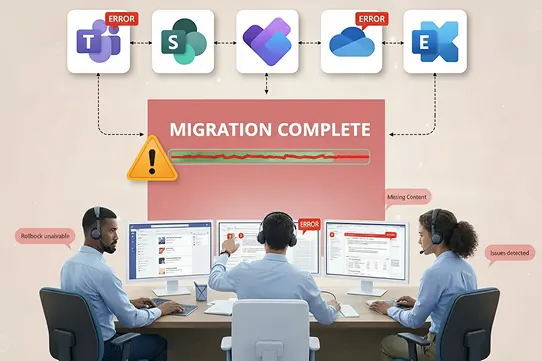
Careful planning isn’t about moving data faster it’s about preventing post-cutover failures that impact productivity, trust, and business continuity.
How We Address Common Microsoft Teams Migration Risks
A successful Microsoft Teams migration requires more than moving data.
Our approach focuses on identifying risks early, validating outcomes, and remaining accountable until your Teams environment is stable and usable.
Each challenge below reflects issues we plan for upfront to avoid disruption after cutover.
Most Teams migrations fail not because of data movement — but because these risks are ignored or discovered too late.
Private Chat History and Attachments
Private chats and their attachments are often affected by platform limitations and identity changes during migration.
Our service includes:

Assessing what private chat history can be preserved based on Microsoft-supported capabilities

Validating chat attachments after migration

Maintaining access to OneDrive-linked files where supported.
Clear expectations are defined before migration, and outcomes are verified after cutover.


User Disruption During Migration
User activity during migration can result in reordered conversations, duplicate notifications, or temporary confusion.
Our service includes:

Reducing disruption during active business hours

Applying available controls to limit notification noise

Aligning cutover activities with your business schedule
The goal is continuity for users, not surprise.
Membership, Permissions, and External Users
Access in Microsoft Teams depends on accurate identity, membership, and permission mapping.
Our service includes:

Mapping memberships and permissions correctly

Validating access for internal and external users

Handling guest access without unnecessary re-invitations or notifications
This ensures users retain appropriate access after migration.

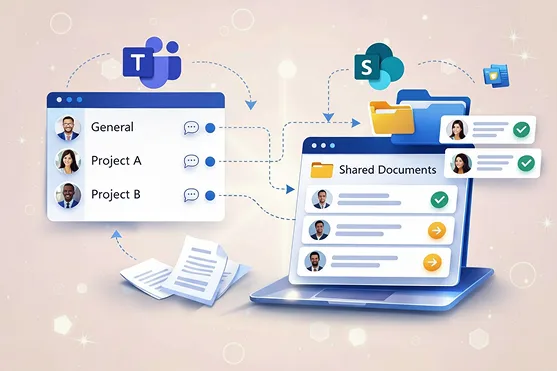
Channels, SharePoint Sites, and Related Content
Teams channels are directly connected to SharePoint sites, each with its own structure and permissions.
Our service includes:

Treating Teams and SharePoint as a single migration scope

Maintaining channel structures and permissions

Ensuring associated SharePoint sites move together
This approach prevents broken links and permission drift after cutover.
Teams-Connected Services and Hidden Dependencies
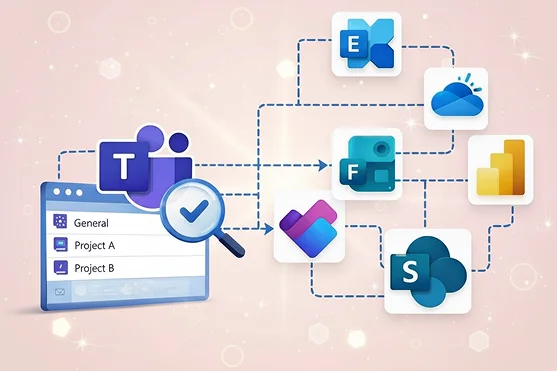
Microsoft Teams relies on several Microsoft 365 services that are not always visible during a Teams-only migration.
Our service includes:

Microsoft 365 group mailboxes (Exchange Online)

Planner plans (Teams-connected and standalone)

Power Automate flows triggered by Teams or SharePoint

Microsoft Forms embedded in Teams

Power BI reports embedded within Teams

Chat messages and file sharing stored in OneDrive for Business
Each dependency is identified, reviewed, and validated to ensure continued access and functionality.
Performance, Scale, and Cost Control
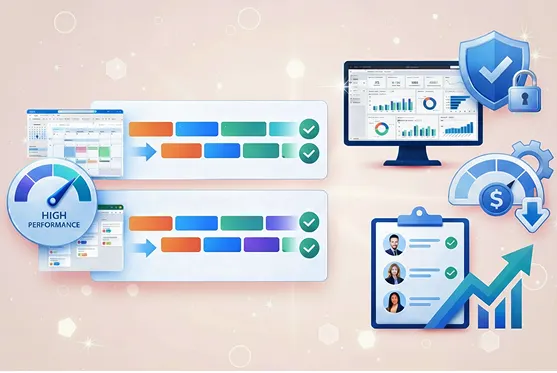
For large environments, speed alone is not the goal—controlled execution is.
Our service includes:

Using parallel execution where appropriate

Maintaining predictable timelines based on scoped workloads

Avoiding unnecessary over-provisioning or rushed execution
This approach balances efficiency with reliability.
Our Proven Microsoft Teams Migration Process
A structured, risk-controlled approach from discovery through post-migration validation and support

. . . . . . . . . . . . . . . . . . . . . . . . . . . .

………………………………………

– – – – – – – – – – – – – – – – – – – – – – – – – – — – – –

———————————–>

1. Discovery & Readiness
No surprises later
You start with a clear view of risks and limitations:
- Review of source and target tenants
- Identification of dependencies
- Proof of concept for up to 5 teams or users

2. Pilot Migration
Test the migration with a small group
You validate behaviour before moving everything:
- Selection of pilot teams or users (up to 100)
- Pilot execution using Apps4.Pro Migration Manager
- Review of results and findings

3.Production Migration
Migrate all teams/users safely and efficiently
You move teams users in a controlled way:
- Migration scheduling and execution
- Active monitoring and issue handling

4.Post Migration Support
Stable Teams environment
You confirm stability:
- Validation of migrated data
- Final reporting
- Knowledge transfer to your IT and support teams
Why Organizations Choose Apps4.Pro for Teams Migrations
Organizations work with Apps4.Pro when they want predictable execution — not tool risk.
You work with Apps4.Pro when you want:

Microsoft Teams–focused migration specialists

A structured, repeatable delivery approach

Dedicated Post-Migration Hypercare Support

A Single Accountable Team End to End

A structured, repeatable delivery approach
The Result You Get

Stable Microsoft Teams environment
Data, permissions, and dependencies validated
Users continue working without disruption
IT retains trust and control after cutover
What Our Clients Say

Daniel Clarke 

IT Dierctor,Enterprise Organization

“We were genuinely concerned about how a tenant-to-tenant Teams migration would impact daily operations😟. Apps4.Pro brought structure and calm to the process😌. Risks were identified early, communication was clear, and they stayed accountable until everything was validated.
By cutover, we felt confident -not anxious. That level of reassurance mattered🤝.“

Jacob Wilson
Head of Global IT
“We’ve experienced migrations where things looked fine at go-live but issues surfaced later😬. This time was different. Apps4.Pro didn’t just complete the migration – they verified dependencies, validated permissions, and remained engaged until stability was confirmed.
It felt professionally managed from start to finish👏.“

Olivia Martin
Head of Infrastructure
“Our biggest concern was user disruption😟. The team carefully aligned migration activities with our schedule and minimized notification noise during business hours. Post-migration checks ensured everything worked before handover.
Our users transitioned smoothly, and we had real peace of mind throughout the project😌.”
Planning a Microsoft Teams Migration?
If you’re planning a Microsoft Teams migration, an early assessment helps you understand risks before anything moves.
Apps4.Pro provides Microsoft Teams migration services with clear ownership from
planning through post-migration stabilization.


 Migrate
 Manage
 Migrate Microsoft 365